
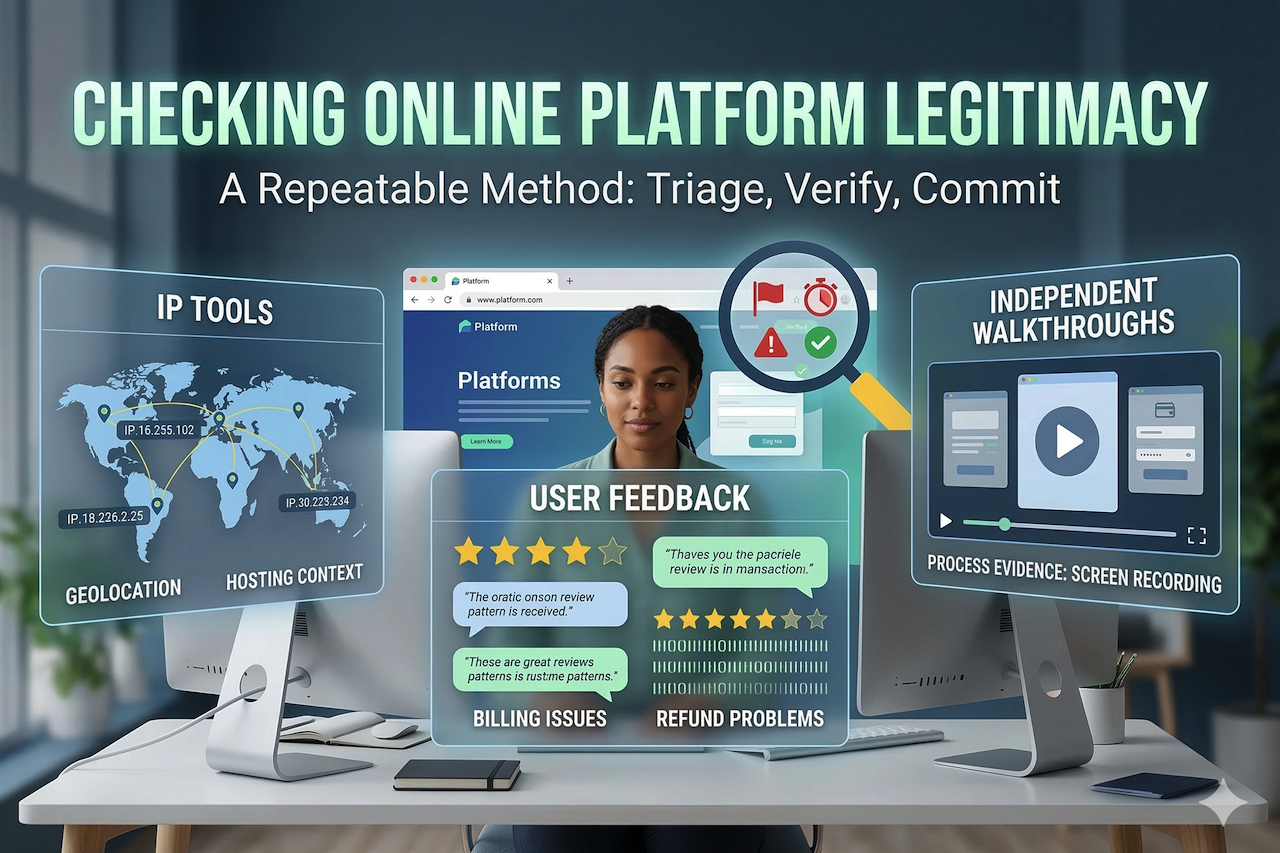
How to Check if an Online Platform Is Legitimate: IP Tools, User Feedback, and Independent Walkthroughs
Why Looks Real Isn’t Proof Anymore
A flashy landing page, a ticking countdown timer, and a bright banner shouting "70% off today only" can make a platform feel legitimate in a matter of seconds. It happens to the best of us. We see a slick app store listing, a promo code shared by a creator we like, or a ticket site that pops up exactly when a major event is trending, and our brain checks a box. For many people, that is the exact moment the guard drops and the credit card comes out.
But truth be told, professional design, targeted ads, and social media buzz are cheap these days. Scam prevention isn't necessarily about being suspicious of every single corner of the internet. It is more about learning how to verify a website before you hand over your hard-earned money or your identity data. The promise of this guide is straightforward: I want to give you a calm, repeatable method for checking whether a platform is legitimate. We will use a mix of infrastructure signals, real-user feedback, and independent walkthrough evidence, such as a SimpleSwap video review that allows users to observe the actual transaction flow and interface, to get the full picture.
The 2026 Reality: Scams Scale, Trust Gets Harder
What's Changed: Impersonation, Phishing, and Realistic Fake Brands
Recent cybersecurity and consumer-protection reporting continues to describe a frustrating shift. Fraud tactics now perfectly mimic real companies and real workflows. Fake websites don't just look polished; they copy the exact checkout patterns, help-center language, and even verification steps that resemble legitimate onboarding. Impersonation scams also thrive in search results, social media replies, and paid ads. This is especially true during high-demand moments like a new sneaker drop or a concert announcement.
That means legitimacy checks have to go much deeper than surface-level design. A platform can appear totally normal while it is quietly pushing risky payment methods, harvesting your personal data, or stalling on refunds until you finally give up. The safest approach is one that is practical and, frankly, a bit boring on purpose. You need to verify what the platform is, who is actually operating it, and how it behaves when something goes wrong. Have you ever noticed how the most dangerous sites are usually the ones that try the hardest to look official?
Common Misconceptions That Create Risk
Three common scam misconceptions appear repeatedly, and each has a simple corrective principle:
-
Misconception: HTTPS means the site is safe.
Corrective principle: HTTPS only means the traffic is encrypted. It does not mean the platform itself is trustworthy. A scammer can obtain an SSL certificate just as easily as a legitimate company. -
Misconception: High star ratings mean legitimacy.
Corrective principle: Ratings can be manipulated or bought in bulk. Patterns across multiple independent sources matter far more than a high rating on a single page. -
Misconception: Influencer mentions prove a site is real.
Corrective principle: Mentions can introduce a platform, but the policies, domain details, and user complaints should still be verified independently.
The 10-Minute Triage Checklist Before Sharing Data or Money
The Fast Path: Stop, Verify, Limit Exposure
A quick scam check can catch a lot of high-risk platforms before you get too deep into the process. This platform safety checklist is designed to be followed in order whenever you feel that internal nudge of doubt:
- Pause before you hit purchase and ignore all that urgency language like "last chance" or "act now."
- Confirm the domain spelling very carefully. Watch for typosquatting — things like swapped letters or extra words that shouldn't be there.
- Scan the site for accurate contact information and verify that company details are consistent across pages.
- Read the refund policy for the actual specifics such as the timeline, the method, and any exceptions they've hidden.
- Check user feedback across at least two different places, not just the review page on the site itself.
- If you are still feeling unsure, don't commit fully. Limit your exposure by doing a small test transaction and providing minimal data.
The idea here isn't to overthink every single click. It is just about avoiding being rushed into mistakes that you can't reverse later.
Risk Tiers: Low-Stakes Browsing vs. High-Stakes Transactions
The depth of your checks should match the level of risk involved. A simple tier model can help keep the process organized:
-
Low Stakes
- Scenario: You are browsing content or reading posts.
- Recommended action: Perform a basic domain check. Keep account creation minimal and avoid providing payment information.
-
Medium Stakes
- Scenario: You are creating an account or joining a subscription trial.
- Recommended action: Review the platform’s policies and scan user feedback. Use a strong password and enable MFA.
-
High Stakes
- Scenario: You are making payments, uploading identification, or connecting a bank account.
- Recommended action: Conduct infrastructure checks, review independent walkthroughs, and consider starting with a low-exposure test transaction.
Infrastructure Signals: Domain, DNS, IP Tools, and Hosting Context
Domain Basics That Matter
Domain age and the registration context often provide some of the best clues. A brand-new domain used for high-value sales can be legitimate. Every site has to start somewhere, but it is also a very common scam pattern. Because of that, it deserves extra checks. Recent changes also matter. If there were sudden ownership transfers or a domain was dormant for five years and then suddenly became a high-volume storefront, that should raise an eyebrow.
Typosquatting is a classic tactic that somehow still works. Small spelling differences, or adding words like "support" or "secure" to a famous brand name, can be enough to trick a user in a hurry. A cautious user treats the domain as the primary identity badge. If that badge looks even slightly off, everything else on the site becomes suspect immediately.
IP Tools: What an IP Can and Can't Tell You
An IP lookup can reveal useful context about the hosting provider and the server's approximate location. Reverse IP checks can even surface clusters of sites that appear to be template scam networks. These are useful signals, especially when you combine them with other evidence you've gathered.
However, IP signals can sometimes be misleading if interpreted in isolation. CDNs and shared hosting are completely normal for legitimate businesses. Many reputable platforms also intentionally hide their origin infrastructure behind protective layers to prevent attacks. Your goal is careful interpretation. Use IP tools to help confirm consistency, not to deliver a final verdict all on their own.
DNS and Certificate Clues Without Deep Tech
DNS records and certificate details can actually support or contradict what a platform claims to be. For instance, if a platform claims to be a serious global business but all its emails are coming from a completely unrelated domain, that mismatch is a problem. Basic email authentication records also serve as a supporting signal, especially when a platform is sending you invoices or password resets.
Certificate information is helpful when it shows strange organization names or frequent, erratic changes. Still, this isn't always a smoking gun. A lot of legitimate sites use automated, short-term certificates these days. The best use of these technical clues is triangulation. Does the site's technical reality align with the brand's story? If the stories don't match, the risk goes up.
On-Site Signals: Content, Policies, Checkout Behavior, and Support
Policy Clarity Test: Refunds, Privacy, and Contactability
Legit platforms tend to be very specific because they have to be. A good refund policy isn't just a paragraph saying "we care." It states a clear timeline, like 30 days, and explains exactly how refunds are issued. A good privacy policy explains what data is being collected and why it is being used. Contact information should be real. You want to see a consistent company name, a physical address format that makes sense, and support hours that feel human.
A quick mini checklist for this would be:
- Is the refund timeline stated clearly?
- Is the dispute path explained in plain language?
- Are the company details consistent across all pages?
- Are support expectations described?
- Are the policy update dates visible?
Checkout and Account Behavior Red Flags
Suspicious checkout behavior often reveals more than the homepage ever could. You really need to watch out for pressure to use irreversible payment methods. If a site is pushing you toward crypto or wire transfers for a basic retail purchase, that is a massive red flag.
Other red flags include mismatched currency at the final checkout screen or surprise subscriptions hidden behind a "free trial" that you didn't ask for. If an account sign-up asks for very sensitive data too early in the process, without explaining why, that is another warning. Legit platforms usually try to earn your trust before they start requesting deeper access to your life.
User Feedback: How to Read Reviews Like an Investigator
Where to Look and What to Ignore
User feedback is only truly valuable when you gather it broadly across the web. Single-source review pages on a brand's own site are incredibly easy to game. Instead, look for patterns across multiple sources. Useful places to check include app stores, community forums like Reddit, and public complaint boards where the troubleshooting is out in the open.
You should usually ignore overly generic praise. If a review stays at the "best" level without mentioning a single detail about shipping or support, it probably isn't a real user. Reviews become meaningful when they describe a specific problem and explain whether the company actually bothers to resolve it.
Pattern Reading: The 5 Complaint Categories
Star ratings can hide the truth of what is happening. A better way is to categorize the complaints you find and see if the same ones keep popping up:
- Billing Issues: Unexpected charges or unclear renewal terms.
- Refund Problems: Delays, flat-out refusals, or "store credit only" surprises.
- Customer Support Quality: The "black hole" of support where no one ever replies.
- Account Suspension: Sudden lockouts or funds getting stuck in a verification loop.
- Delivery Failures: Non-delivery or fake tracking numbers.
Don't just count the bad reviews. Look for repeated, specific stories.
Spotting Review Manipulation
Review manipulation often leaves fingerprints if you know where to look. Common red flags include repetitive phrasing across many accounts or a sudden spike in glowing reviews appearing on the same afternoon. Another tell is a major imbalance: you see 50 reviews that read like a corporate ad, while the few negative reviews describe the same concrete failure in painful detail. Which one do you think is more likely to be real?
Independent Walkthroughs: Using Third-Party Evidence Safely
What Walkthroughs Are Good For
An independent walkthrough is best treated as actual process evidence. It can validate what the platform actually does during user interaction. You can see the sign-up steps, what fees appear at the very end of the checkout, and how the cancellation process works. Walkthroughs are also great for exposing "dark patterns", those little design tricks that try to get you to sign up for things you don't want.
The key here is restraint. A walkthrough is not a permanent stamp of trust. It is just a way to confirm whether the workflow matches the platform's claims. It helps you see whether there are any unpleasant surprises between the "add to cart" button and the final "pay now" screen.
How to Vet the Walkthrough Itself
The credibility of the person making the walkthrough matters. Strong walkthroughs show reproducible steps and transparency. You want to see sponsorship disclosures, visible timestamps, and continuous screen recordings without any suspicious cuts. A good reviewer is willing to show the downsides, such as high fees or annoying refund limitations.
If a walkthrough avoids the checkout screen entirely or skips over the policy pages, it might be more promotional than practical. You want to find sources that make it easy for you to repeat those same checks yourself.
When Signals Conflict: Decide With Risk Controls
The Triangulation Rule for Legitimacy
At least three independent sources should corroborate any major claim a site makes. I like to use infrastructure signals, user feedback patterns, and independent walkthrough evidence. When all three of those align, your confidence can rise. When they conflict, the decision has to shift from "is it legit" to "how much exposure can I actually afford here?"
A simple decision tree:
- Proceed: All signals align and the risk is low.
- Proceed With Limits: Signals are mixed, but the service is necessary.
- Walk Away: Multiple red flags appear around payments or identity verification.
Safe Next Steps if the Platform Might Be Legit
When a platform seems plausible but hasn't been fully proven yet, you can use low-exposure tests to reduce your downside. Practical steps include using a separate email address specifically for that site, enabling MFA, and turning on transaction alerts on your banking app. If you have to make a purchase, start with the smallest amount possible. Save screenshots of the policies as you see them, because they can change later. And please, don't provide unnecessary identity data just because a form asks for it.
Conclusion: A Repeatable Legitimacy Habit
The 3-Phase Method: Triage, Verify, Then Commit
Building a repeatable habit is more effective than reacting with a one-time check. The three-phase method is straightforward: triage quickly to catch obvious risks, verify using infrastructure and behavioral signals, and commit only when the level of exposure feels appropriate for the situation. No single check can guarantee complete safety online, but consistent verification steps can significantly reduce risk. By applying simple legitimacy checks before sharing personal information or making payments, users can navigate online platforms more confidently without turning everyday browsing into a lengthy investigation.
Disclaimer
This article is provided for informational and educational purposes only. The information presented is intended to help readers understand common methods used to evaluate the legitimacy of online platforms.
Any references to external websites, tools, or third-party resources are provided as examples for research purposes only and do not constitute an endorsement or guarantee of reliability, safety, or legitimacy.
IPLocation.net does not verify or control third-party platforms referenced in this article and shall not be held liable for any losses, damages, or issues that may arise from the use of external websites or services. This includes platforms involving financial transactions, digital assets, or cryptocurrency services.
Readers are encouraged to perform their own due diligence before providing personal information, making payments, or engaging with any online platform.
Share this post
Author

Leave a comment
All comments are moderated. Spammy and bot submitted comments are deleted. Please submit the comments that are helpful to others, and we'll approve your comments. A comment that includes outbound link will only be approved if the content is relevant to the topic, and has some value to our readers.


Comments (0)
No comment