
The ERP Rollout Problem Nobody Sees Coming
Most ERP projects don’t fail because the software is “bad.”
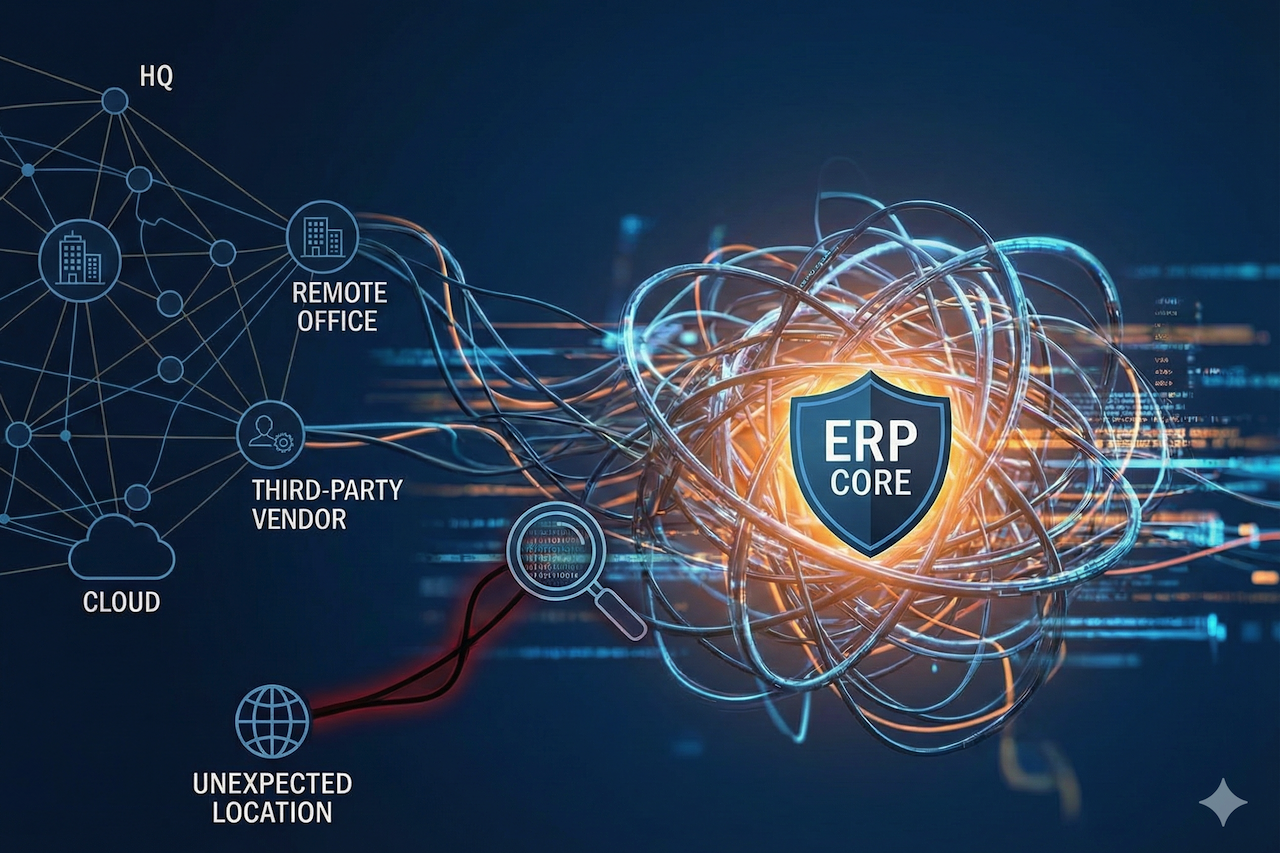
They stumble because the rollout becomes a living, breathing mess: users logging in from unexpected locations, third-party vendors needing access at odd hours, remote teams working across time zones, and security controls designed for an office-based world.
It starts innocently.
A finance manager can’t access the month-end close from a hotel Wi‑Fi. A warehouse supervisor shares credentials because MFA keeps triggering. A contractor in another country is added “temporarily” and never removed. Then a suspicious login shows up at 2:13 a.m. from an IP range no one recognizes.
Suddenly, the ERP system, your company’s operational backbone, becomes a new attack surface.
That’s where IP intelligence earns its keep. Not as a magic bullet, but as a practical layer of context: Where is this login coming from? Is it expected? Does it match the user’s typical pattern? Does the IP address belong to a risky ASN, a proxy, or a known data center?
When used thoughtfully, IP signals help ERP teams prevent fraud, reduce account takeover risk, and improve compliance, without making security a daily obstacle for users.
Why IP Signals Matter More in ERP Than in Most Apps
ERP systems sit at the intersection of money, inventory, and authority. If a CRM account gets compromised, that’s painful. If an ERP admin account gets compromised, that can be catastrophic.
Here’s why IP intelligence is unusually relevant in ERP environments:
- High-value permissions: ERP roles often allow vendor payments, pricing changes, inventory adjustments, and journal entries.
- Distributed access: Modern ERP users aren’t limited to headquarters. They’re in plants, warehouses, job sites, and remote offices.
- Third parties everywhere: Implementation partners, managed service providers, integration vendors, and auditors frequently need access.
- Audit and compliance pressure: ERP touches SOX controls, segregation of duties, and financial reporting integrity.
In short, ERP is where “just trust the login” is no longer an option.
IP Geolocation vs IP Reputation: Quick Clarity Before We Go Deeper
People often refer to “IP tracking" as if it were one thing. It’s not. Two categories matter most:
IP Geolocation (Where)
IP geolocation estimates the country/region/city associated with an IP address. It’s useful for:
- Detecting logins from unexpected countries
- Enforcing geo-based access policies (carefully)
- Supporting compliance workflows (e.g., data residency, travel exceptions)
But geolocation is imperfect, especially with mobile networks, VPNs, CGNAT, and corporate backhauls.
IP Reputation / IP Intelligence (What Kind of IP)
This is about the risk profile of an IP:
- Is it a known proxy/VPN exit node?
- Is it tied to suspicious behavior?
- Is it a data center IP used for automation?
- Which ASN or organization owns it?
Reputation signals are often more reliable than guessing the user’s exact city.
A good ERP security strategy typically uses both, but treats them as inputs, not absolute truths.
Where IP Intelligence Fits in the ERP Lifecycle
IP-based controls shouldn’t be bolted on at the end like a panic lock. They work best when mapped into the ERP project plan.
Phase 1: Selection and Risk Planning
During early ERP planning, you can establish baseline security expectations:
- Who will access the ERP (employees, vendors, contractors)?
- From where (onsite, remote, international)?
- Through what identity provider (SSO, IAM, MFA)?
- What audit rules must be met?
This is where many teams benefit from ERP advisory services because they connect business process design with governance, especially when finance, operations, and security are pulling in different directions.
The key isn’t “more controls.” It’s the right controls, aligned to how the organization actually operates.
Phase 2: Implementation and Role Design
When roles and permissions are being built, IP signals help reinforce segmentation:
- Finance approvals are accessible only from “trusted” network ranges
- Admin console restricted to corporate VPN or known office IPs
- Vendor roles are time-bound and location-aware
This is also the best time to implement:
- Conditional access policies (based on geo + device + MFA)
- Privileged access management for high-risk roles
- Vendor access workflows (with logging and approval gates)
Phase 3: Go-Live and Stabilization
Go-live is chaotic. That chaos is exactly what attackers love.
Practical uses of IP intelligence at this stage:
- Detect “impossible travel” patterns (login from one country, then another shortly after)
- Flag logins from known proxy networks
- Require step-up authentication for risky IPs (instead of blocking everyone)
The goal is to catch real threats without causing an adoption meltdown.
Phase 4: Ongoing Operations and Audit Readiness
After go-live, IP data becomes part of your operational rhythm:
- Weekly security review of anomalous access
- Audit evidence for privileged activity
- Continuous tuning of “trusted access” policies
ERP security isn’t a set-it-and-forget-it checkbox. It’s a living system.
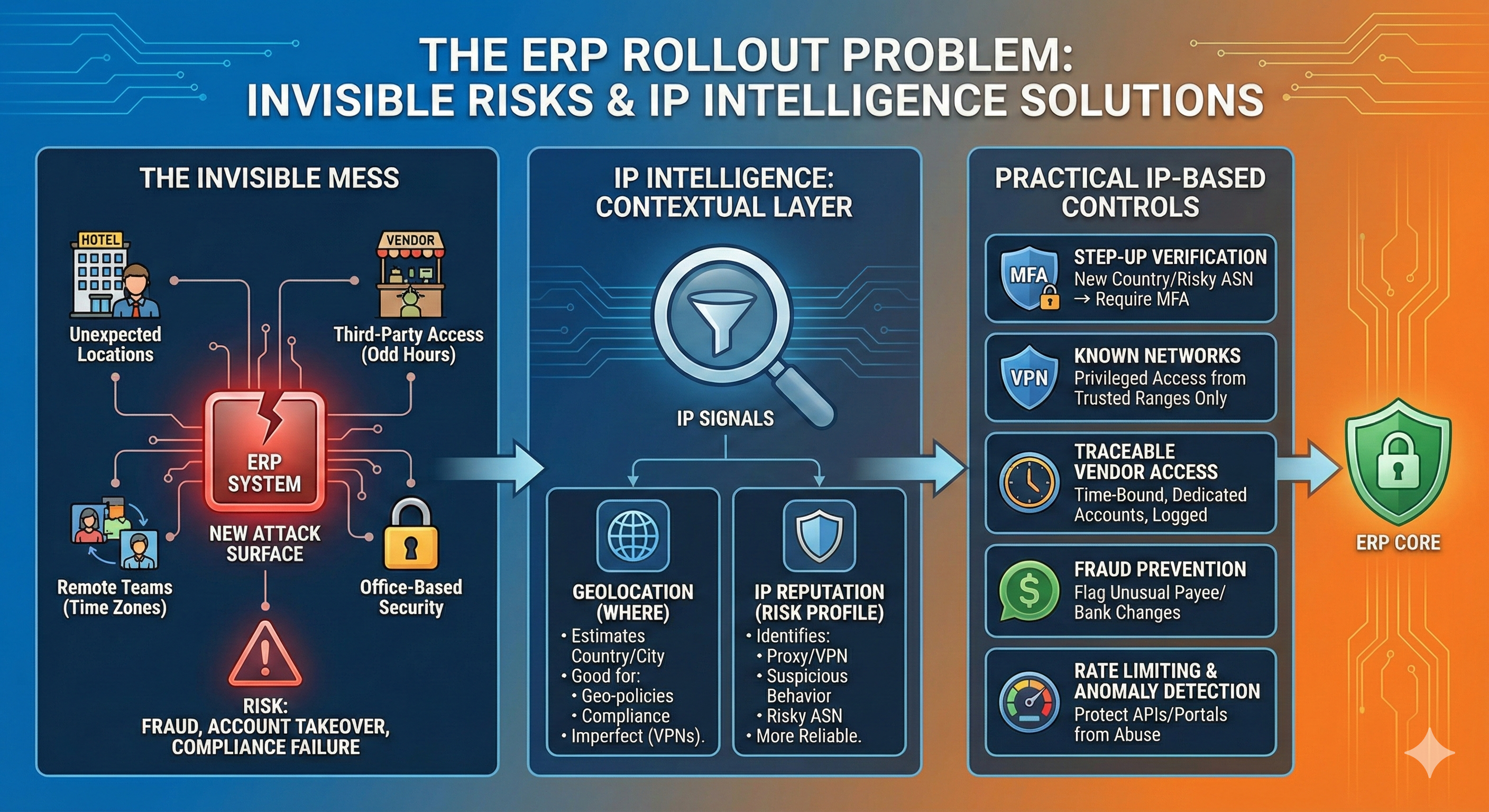
Image generated by Google Gemini.
Five Practical IP-Based Controls That Work in Real ERP Environments
Let’s get specific. Here are strategies that help without becoming user-hostile.
1. Step-Up Verification, Not Blanket Geo-Blocking
Geo-blocking sounds great until someone travels, works remotely, or routes through a corporate hub.
Instead, consider rules like:
- If login originates from a new country → require MFA and notify the user
- If login originates from a high-risk ASN → require MFA + restrict privileged actions
- If login originates from a known proxy/VPN exit node → trigger secondary verification
This approach catches suspicious activity while minimizing false positives.
2. “Known network” policies for privileged roles
For admin and finance-approval roles, the stakes are higher.
Common pattern:
Allow privileged access only from:
- Corporate VPN egress IP ranges, or
- Specific office/plant IPs, or
- Hardened virtual desktop environments
It’s not glamorous, but it reduces your exposure dramatically.
3. Vendor Access That’s Time-Bound and Traceable
ERP projects are famous for “temporary” vendor access that lasts three years.
Better:
- Create dedicated vendor accounts (no shared credentials)
- Restrict access by time window and function
- Log and review vendor activity
- Use IP reputation signals to detect unusual access patterns
If an auditor asks, “Who accessed the system and why?” you’ll have answers.
4. Location-Aware Fraud Prevention for Financial Workflows
ERP fraud isn’t always a brute-force attack. Sometimes it’s social engineering and misuse.
IP intelligence supports fraud detection by flagging:
- New payee setups from unusual locations
- Changes to bank details from risky IPs
- Approval actions from IPs inconsistent with the approver’s profile
Even a simple “this doesn’t look like them” signal can stop a bad transaction.
5. Rate Limiting and Anomaly Detection for ERP Portals and APIs
ERP systems increasingly expose APIs to partners, eCommerce, EDI, and integrations.
IP-based controls help protect:
- Login endpoints from credential stuffing
- API endpoints from abuse
- Partner portals from scraping and automation
Rate limiting by IP (plus reputation scoring) is a practical defense that complements MFA.
Common Traps: How Teams Misuse IP Data
Trap 1: Treating Geolocation as Exact
IP geolocation is an estimate. Mobile carriers and VPNs can make it wildly misleading.
Avoid overconfidence. Use geolocation as a signal, not a verdict.
Trap 2: Blocking Entire Countries Without Context
Sometimes geo-blocking is appropriate, but often it’s a blunt instrument that:
- Breaks legitimate access
- Pushes users toward unsafe workarounds (shared credentials, disabling MFA, shadow IT)
- Creates a false sense of security
If you must block, document exceptions and implement a review process.
Trap 3: Forgetting Shared IP Realities
Hotels, coworking spaces, factories, and corporate NATs can make many users appear to share a single IP address.
That’s why IP alone shouldn’t be your sole control. Combine it with:
- Device posture (managed/unmanaged)
- Identity context
- MFA behavior and risk scoring
Trap 4: No Operational Ownership
Security policies degrade if no one owns them.
A good ERP governance model assigns ownership for:
- Reviewing anomalous access events
- Approving vendor access extensions
- Maintaining trusted IP lists
- Tuning conditional access thresholds
Without ownership, controls either become too strict (and hated) or too loose (and useless).
A Simple Playbook: Using IP Intelligence During ERP Rollout
If you want a practical, low-drama approach, here’s a framework you can adapt.
Step 1: Map “High-Impact Actions”
List ERP actions that could cause financial or operational harm:
- Bank detail changes
- Vendor setup
- Payment runs
- Pricing changes
- Inventory adjustments
- Admin role assignments
Step 2: Define Access Expectations
For each role, define:
- Expected locations (countries, regions)
- Expected access channels (office, VPN, VDI)
- Expected time windows (e.g., business hours vs 24/7 operations)
Step 3: Set Signal-Based Policies
Implement policies that respond to risk:
- Low risk → normal login
- Medium risk → MFA challenge
- High risk → block privileged actions + alert
Step 4: Create an Exception Workflow
People travel. Networks change. Acquisitions happen.
Build a simple process:
- Request exception
- Approve with business justification
- Set expiration date
- Review and remove when no longer needed
Step 5: Audit and Tune Monthly
After go-live, review:
- False positives (where users were blocked unnecessarily)
- Missed detections (where suspicious access slipped through)
- Vendor access creep
- Privileged role usage patterns
ERP security isn’t about perfection. It’s about continuously reducing risk while keeping the business moving.
Where Advisory Support Makes a Difference
Most organizations don’t struggle because they lack tools. They struggle because the ERP project becomes a tug-of-war between:
- Security teams focused on control
- Finance teams focused on closing deadlines
- Operations teams focused on uptime
- IT teams focused on delivery.
The best outcomes occur when someone translates business needs into a governance model that fits the company’s reality, especially during selection, implementation planning, and process design.
That’s why ERP advisory support can be valuable in projects where security, compliance, and operational complexity intersect, because the goal isn’t simply to implement an ERP system, but to do so without introducing new risk.
Final Thoughts: IP Intelligence Isn’t a Feature—It’s a Mindset
IP signals don’t replace strong identity controls. But they add something identity alone can’t: context.
They help you answer the questions that matter in ERP security:
- Is this user behaving normally?
- Is this access coming from where we expect?
- Is this IP associated with elevated risk?
- Should we allow, challenge, restrict, or block?
When ERP is the system that runs your money and operations, those questions deserve better than guesswork.
IP intelligence—used carefully, with business-aware governance—helps you roll out ERP with fewer surprises, fewer workarounds, and a much lower chance of waking up to an incident you could have prevented.
Featured Image generated by Google Gemini.
Share this post
Author

Read the latest articles from Vince Louie Daniot

How to Safely Test Cloud ERP From Anywhere: A Practical Guide to Hands-On Access to NetSuite

November 19, 2025
Evaluating a cloud ERP system like NetSuite isn’t just a finance or operations decision anymore. For most organizations, it’s also a networking, security, and data governance challenge.
Learn moreLeave a comment
All comments are moderated. Spammy and bot submitted comments are deleted. Please submit the comments that are helpful to others, and we'll approve your comments. A comment that includes outbound link will only be approved if the content is relevant to the topic, and has some value to our readers.


Comments (0)
No comment