

Each device connected to the internet is assigned a distinct numerical label. This label, commonly known as an IP address and automatically assigned by your network, serves as a return address that accompanies all data you send and receive online, ensuring that information travels back to the correct device. Most people rarely give this seemingly mundane string of numbers any thought, yet it carries significant weight in shaping and defining the core of your digital identity online. From the websites you visit to the online services you use daily, your IP address quietly reveals details about your geographic location, your internet service provider, and sometimes even your personal browsing habits. Understanding how this identifier functions is not merely a matter of technical curiosity but rather a practical necessity for anyone who genuinely values their personal privacy and online safety in an increasingly connected world during 2026.
How IP Addresses Function as Your Digital Fingerprint
The Mechanics Behind Every Connection
When you type a URL into your browser or open an app, your device sends a request that includes your IP address. The receiving server carefully reads this identifying number to determine precisely where to send the appropriate response back to the requesting device. Think of it like mailing a letter: without a return address, the recipient cannot reply. Your IP address serves that exact purpose in every online interaction. Internet Service Providers (ISPs) are responsible for assigning these numerical addresses to their subscribers, and each assigned number corresponds to a general geographic region that can be identified through publicly available databases. Every website you visit can estimate your city, and sometimes your neighborhood, just by reading your connection data.
What Your Address Reveals Without Your Permission
Beyond basic location, your IP address can expose your ISP, the type of connection you use, and whether you are browsing from a residential or commercial network. Advertisers and analytics platforms collect this information to build profiles, serve targeted ads, and track repeat visits. If you want to understand how IP address tracking shapes your daily browsing experience, you will find that the implications go far deeper than most users realize. Law enforcement agencies also rely on these identifiers to trace online activity back to specific households, making your IP address a surprisingly powerful piece of personal data.
Static vs. Dynamic IP Addresses and What Each Reveals About You
Permanent Addresses and Their Trade-Offs
A static IP address stays the same every time you connect. Businesses often prefer this setup because it simplifies server hosting, remote access tool management, and security certificate management. However, permanence comes with a cost. A fixed numerical label makes it easier for third parties to monitor your activity over extended periods. Anyone who logs your static address today can correlate it with your activity weeks or months later. For individuals working from home or running small online stores through a website builder, this consistency can be both an advantage in terms of reliability and a vulnerability if proper safeguards are not in place.
Dynamic Addresses and the Illusion of Anonymity
Most residential users, rather than being assigned a single permanent number that remains constant over time, receive dynamic IP addresses, which are temporary numerical identifiers that their Internet Service Providers allocate and periodically reassign from a shared pool of available addresses. Your ISP rotates these dynamically assigned numbers periodically, with the frequency of change varying widely, sometimes every few hours and other times every few days. While this periodic rotation of IP addresses offers only a thin and unreliable layer of obscurity, it certainly does not guarantee true anonymity or meaningful privacy protection for the user. ISPs keep records linking every temporary IP address assignment to your account. Courts can subpoena these records, and sophisticated tracking methods can still follow you across address changes. Relying on a shifting IP address alone, without additional measures to obscure one's identity, provides only limited and ultimately insufficient protection against determined observers who possess the tools, resources, and legal authority to track users across multiple address changes over time.
Five Real-World Scenarios Where Your IP Address Puts You at Risk
Knowing the theory is useful, but concrete examples make the danger tangible. Here are five real-world situations where your IP address, if left exposed or improperly protected, can quickly become a serious liability that puts your privacy at risk:
- Public Wi-Fi exploitation: Attackers on shared networks can intercept your traffic and steal sensitive data.
- Targeted phishing attacks: Criminals use your IP address to create convincing location-specific phishing emails.
- DDoS attacks on home networks: Adversaries flood gamers' and streamers' IP addresses with junk traffic, forcing them offline.
- Geo-restriction circumvention failures: Bypassing regional blocks can flag your address, causing permanent platform bans.
- Doxing and personal harassment: Attackers can use your IP address to locate and publicly expose you.
Each scenario reveals a distinct way your information can be exposed. An unprotected network identifier creates risks that are hard to reverse.
Protecting Your Digital Identity Through Smarter Online Infrastructure
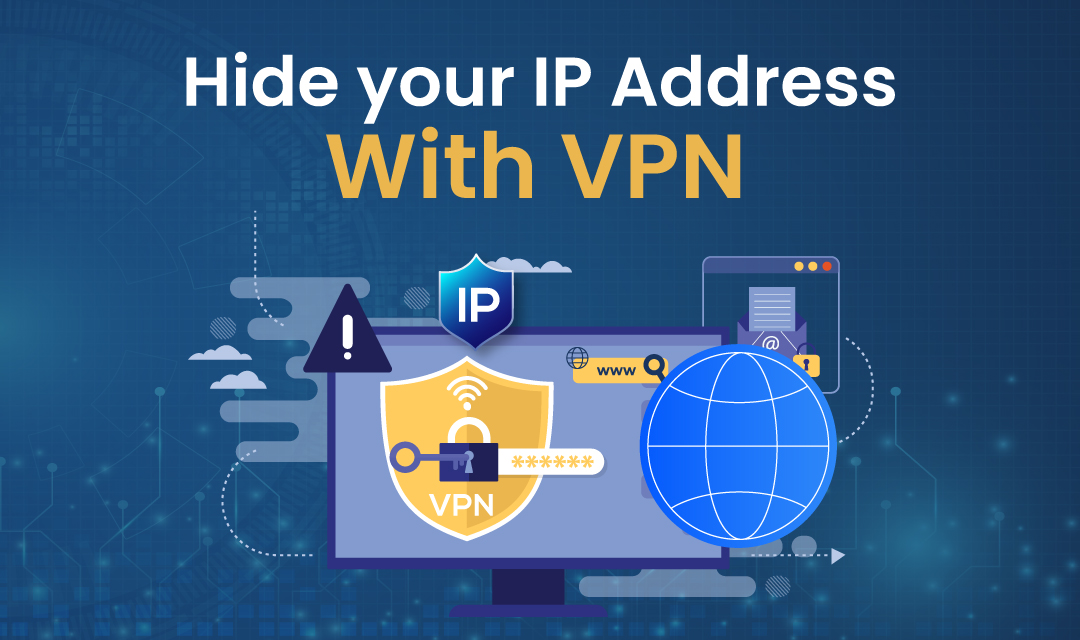
Reducing your exposure starts with understanding the tools available to you. Virtual Private Networks (VPNs) encrypt your traffic and mask your real IP address by routing connections through remote servers. This makes it significantly harder for observers to tie activity back to your household. DNS-over-HTTPS protocols add another layer by encrypting the domain name queries your browser sends, preventing ISPs from cataloging every site you visit. For those seeking authoritative guidance on these concepts, the U.S. Department of Homeland Security has published valuable resources on digital identity and trust frameworks that outline best practices for individuals and organizations alike.
Beyond VPNs, consider adjusting your router's settings to request a new dynamic address more frequently. Disable Universal Plug and Play (UPnP) to prevent devices on your network from automatically opening ports that external actors could exploit. Browser-based privacy extensions that block tracking scripts also reduce the volume of data linked to your address. Each measure alone offers incremental improvement, but combining them creates a layered defense that raises the cost of surveillance far beyond what casual observers are willing to invest. Understanding how IP location tracking works and practical steps to guard your privacy gives you a clearer picture of which combinations deliver the strongest results.
Why the Right Website Builder Shields Both Your Data and Your Visitors
If you are someone who manages a website, whether it is a personal blog, an online store, or a professional portfolio, your responsibility as a steward of that digital space extends well beyond safeguarding your own personal privacy, since it also encompasses the protection of every visitor who interacts with your site. Each visitor who accesses your pages is placing trust in you with their connection data. Your hosting platform determines how visitor trust is honored. Reputable hosting solutions include built-in SSL certificates, automated security patches, and server-side protections that prevent your visitors' IP addresses from being harvested by malicious scripts. Poorly maintained or cheap platforms can expose visitor data via outdated or misconfigured servers.
Choosing a hosting environment with strong default security settings is one of the most consequential decisions any site owner can make for their online presence. When choosing a hosting platform, you should seek out those that provide automatic HTTPS enforcement, regular malware scanning, and clearly written data processing agreements that fully align with current privacy and security regulations. When your hosting infrastructure addresses these critical security concerns at the foundational level, you can focus on creating quality content and pursuing growth rather than constantly patching emerging vulnerabilities.
Taking Control of Your Network Identity in 2026
Your IP address, which many users overlook or dismiss as a mere string of numbers hidden deep within their network configuration panels, is far more than a simple technical detail; it carries significant implications for your privacy and security. Your IP address reveals your location, habits, and identity. The good news is that simply becoming aware of how your IP address can be exposed serves as the crucial first step toward achieving meaningful and lasting protection of your online privacy. Using tools like VPNs and encrypted DNS alongside smart platform choices helps you control your digital footprint. Start with one change today, whether that means enabling encryption on your home router or auditing the privacy settings on your website, and build from there. Each additional layer of protection that you incorporate into your digital security practices makes your overall online presence significantly harder for malicious actors to exploit and considerably easier for others to trust.
 FAQs
FAQs
Advertisers collect your IP address to determine your general location and ISP, then combine this with tracking pixels and cookies to build detailed profiles. They use this geographic and behavioral data to serve location-specific ads and track your movements across different websites.
Law enforcement relies on IP addresses as digital fingerprints that can trace online activity back to specific households through ISP records. When combined with timestamps and server logs, these identifiers create a trail that investigators can follow to identify users behind specific online actions.
IP addresses function like return addresses on mail - without them, servers wouldn't know where to send responses to your requests. When you visit a website or use an app, your device includes its IP address so the receiving server can route data back to your specific location on the network.
Websites can determine your approximate city location, your internet service provider, and whether you're browsing from a residential or commercial network. They also track your connection type and can identify repeat visits to build advertising profiles without your explicit consent.
When planning your website, you need to consider whether your IP setup is static or dynamic, as this affects hosting configuration and SSL certificates. A reliable website builder from IONOS can help you navigate these technical requirements and ensure your site remains accessible regardless of your networking setup.
Featured Image generated by ChatGPT.
Share this post
Leave a comment
All comments are moderated. Spammy and bot submitted comments are deleted. Please submit the comments that are helpful to others, and we'll approve your comments. A comment that includes outbound link will only be approved if the content is relevant to the topic, and has some value to our readers.
 DNS Lookup
 Search a Person
 Inspect suspicious links
 Data Breach Check



Comments (0)
No comment