
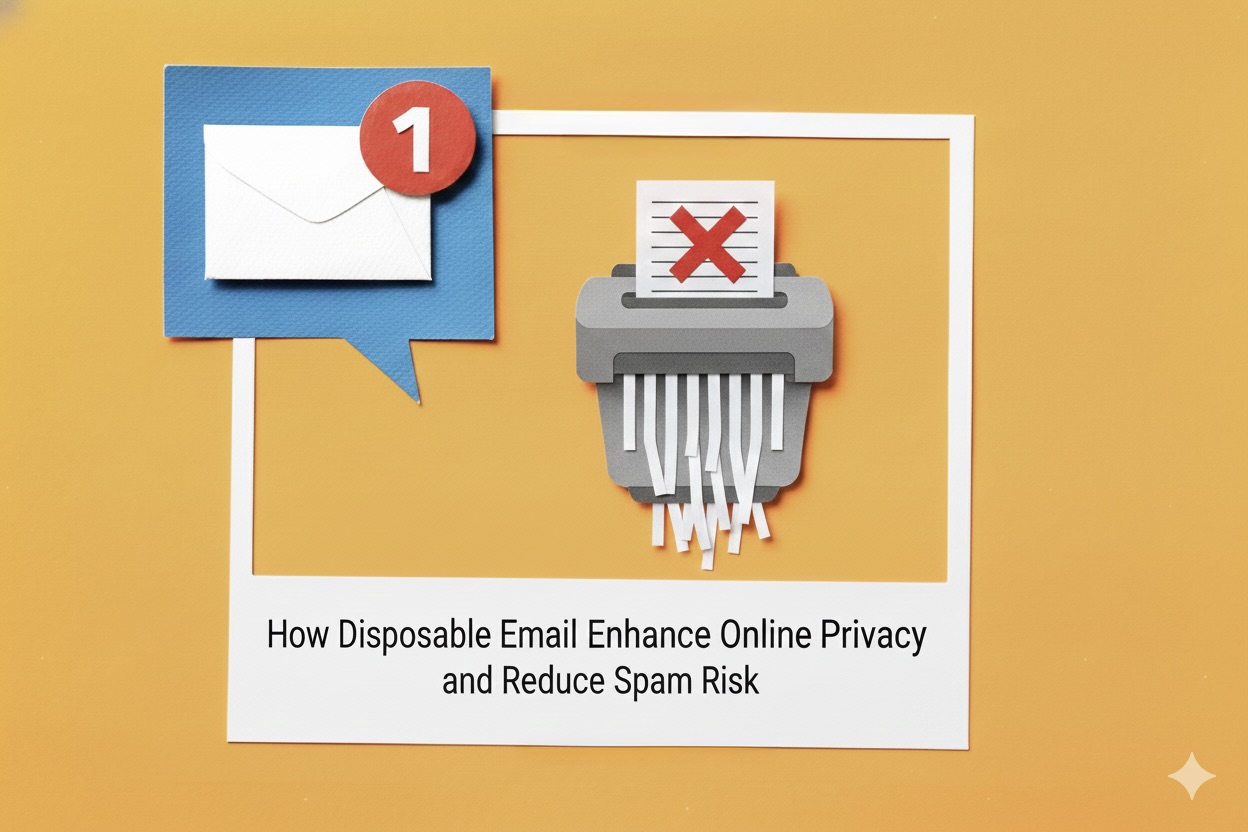
Email is one of the most essential tools for online communication, but it’s also a common target for spam, data collection, and privacy invasion. As websites increasingly ask for email verification for sign-ups, newsletters, free trials, and downloads, users often end up sharing more personal information than necessary. This is where disposable email becomes a safe and practical solution.
Disposable email, also known as temporary or throwaway email, allows users to receive messages without exposing their real inbox. It helps reduce spam, improves privacy, and makes online interactions safer and more efficient.
What Is Disposable Email?
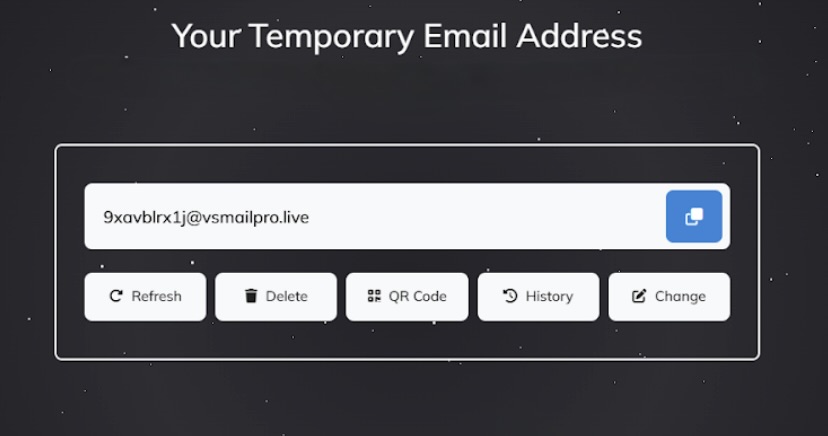
Disposable email refers to a short-term, temporary inbox that users can generate instantly for verification emails or one-time messages. These email addresses automatically expire after a set period, leaving no long-term data behind.
While different platforms offer ways to generate these temporary addresses, the core idea remains the same: use a separate, short-lived inbox instead of exposing your personal email address.
Key Advantages of Using Disposable Email
- Free and Easy to Use: Most disposable email generators do not require accounts or fees.
- Multiple Mailboxes: Users can create several temporary addresses depending on their needs.
- Real-Time Message Delivery: Emails arrive instantly, making verification quick.
- Optional Customization: Some generators allow custom names or domains.
- Cleaner, Safer Inbox: Helps filter out spam, trackers, and unwanted advertising.
- No Long-Term Storage: Temporary addresses automatically disappear, reducing data exposure.
Real-World Uses of Disposable Email
Disposable email is helpful in many everyday online situations, such as:
1. Online Registrations and Sign-Ups
Use a temporary email to join websites, forums, or newsletters without overflowing your main inbox.
2. Testing and Development
Developers can safely create test accounts without exposing real contact details.
3. Privacy Protection
Keep your personal email hidden when accessing gated content or web tools.
4. E-Commerce and Shopping
Use disposable email when checking out as a guest to avoid marketing campaigns and spam.
5. Trying Social Media Tools or Trials
Create temporary accounts or test features without linking your permanent email.
6. Free Downloads and Resources
If a site requires an email to unlock content, disposable email prevents future promotional messages.
7. Market Research and Surveys
Fill out forms without exposing your primary inbox to follow-up emails.
8. Avoiding Targeted Advertising
Disposable emails limit the ability of companies to build marketing profiles around your identity.
9. One-Time Verifications
Perfect for quick verification codes when you need fast access without long-term commitment.
Why Disposable Email Is Important for Privacy
1. Protects Personal Identity
Sharing your main email on multiple websites increases the risk of data collection or exposure. Disposable email keeps your personal inbox private.
2. Minimizing Digital Footprints
Temporary addresses reduce the amount of personal data connected to your online activity.
3. Reduces Targeted Advertising
Since disposable emails do not follow you long-term, they limit behavioral tracking from marketers.
How Disposable Email Addresses Reduce Spam
Spam often starts with sign-ups and free trials. Disposable email addresses help eliminate this issue by:
1. Keeping Your Real Inbox Clean
Short-lived accounts ensure unwanted messages never reach your primary email.
2. Avoiding Mailing Lists
Many websites add users to newsletters automatically; disposable emails prevent long-term subscription clutter.
3. Preventing Exposure in Data Breaches
If a website leaks user information, your primary email stays protected.
Common Scenarios Where Disposable Email Works Best
- Trying new websites without commitment
- Accessing free resources or trial tools
- Filling online surveys
- Participating in forums without revealing private details
Security Considerations When Using Disposable Emails
While disposable email is highly useful, keep these limitations in mind:
1. Not for Important Accounts
Do not use disposable email for banking, personal accounts, long-term subscriptions, or anything requiring password resets.
2. Some Inboxes Are Public
Avoid receiving sensitive information since some temporary inboxes may be visible to others.
3. Limited Features
Temporary addresses do not usually support long-term storage, two-factor authentication, or recovery options.
Best Practices for Using Disposable Email
- Use disposable email only for low-risk, short-term tasks
- Avoid using it for sensitive information
- Choose private inbox options when possible
- Copy verification codes immediately
- Pair disposable email with secure browsing practices
Conclusion
Disposable email has become a powerful tool for protecting online privacy and minimizing spam. It allows users to interact with websites safely without exposing personal information or cluttering their permanent inbox. While it is not meant for long-term or sensitive use, disposable email offers an efficient way to keep your digital life cleaner, safer, and more private.
As online privacy becomes increasingly important, disposable email provides a simple yet effective way to control how much information you share—and who you share it with.
 FAQs
FAQs
Yes, disposable emails are generally safe for low-risk tasks such as quick sign-ups and verification emails. They help protect your primary inbox, but should not be used for sensitive or long-term accounts.
Most disposable emails do not store personal user data. However, they are not designed to provide full anonymity — they simply reduce exposure of your real email address.
The duration varies. Some temporary emails expire within 10–60 minutes, while others remain active until the browser tab is closed or the session ends.
No, it is not recommended. Temporary emails expire, meaning you may lose access to accounts that require future logins, password resets, or ongoing verification.
Websites request email verification to prevent spam sign-ups, protect user accounts, and ensure valid identities. Disposable emails help maintain your privacy during these verification steps.
Featured Image by Freepik.
Share this post
Author

Leave a comment
All comments are moderated. Spammy and bot submitted comments are deleted. Please submit the comments that are helpful to others, and we'll approve your comments. A comment that includes outbound link will only be approved if the content is relevant to the topic, and has some value to our readers.
Comments (0)
No comment