
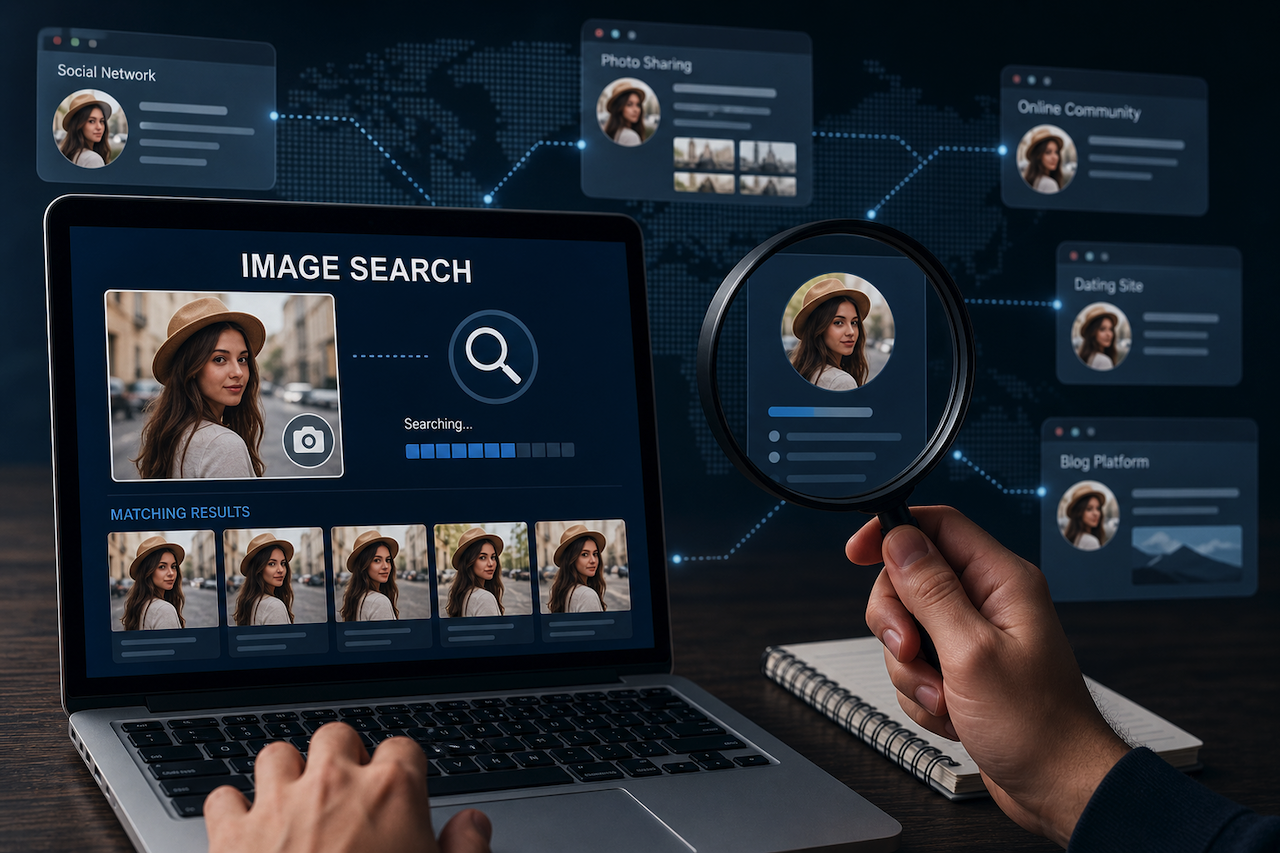
A profile photo can spread across many platforms within hours. Someone may copy it, edit it slightly, and use it for another account. How can anyone tell where it first appeared? How can someone connect that image to real profiles?
The answer lies in image search. This simple method gives a direct way to trace those links. It helps locate accounts that share the same photo or close variations. This article explains how this method supports profile tracking and why it deserves careful use.
Why Do You Need To Search By Image?
People often trust names and bios, yet images carry stronger signals. The image search tool checks where a photo appears and links scattered profiles. This approach helps confirm identity clues before any interaction.
Now, consider the common reasons behind this practice:
- Identity Verification: Confirms whether a single image links to multiple unrelated online accounts.
- Scam Detection: Shows fake profiles that reuse photos from real individuals elsewhere.
- Content Ownership Check: Tracks where personal images appear without clear permission online.
- Social Research Support: Helps gather public profile details tied to a shared image.
- Safety Assurance: Reduces risk when dealing with unknown people across different platforms.
Benefits Of Using Image Search For Profile Tracking
Image search simplifies how users examine online identities. It reduces blind trust and offers visual proof across platforms. As a result, people gain more clarity before engaging with unknown profiles or sharing personal details.
Here is how this method supports profile tracking in real situations:
Stronger Control Over Personal Image Use
With this search technique, individuals can track where their photos appear online. This awareness helps identify misuse or unwanted sharing. It also supports actions such as reporting or requesting removal across different platforms. It also helps to be aware of copyright guidelines, such as those provided by the U.S. Copyright Office, when dealing with unauthorized use of personal images.
Better Identity Clarity Across Platforms
A single search can reveal several accounts using the same photo. This insight helps users spot patterns that text cannot show. It builds a clearer view of someone’s digital presence across different websites and apps.
Faster Detection Of Duplicate Profiles
Many fake accounts reuse images without major changes. A simple image search quickly highlights these duplicates. This process saves time and reduces manual checking, especially when dealing with multiple profiles at once.
Improved Decision Making Before Interaction
People often hesitate before accepting requests or offers. Using this method provides extra context that supports better decisions. It allows users to confirm visual identity before trusting unknown individuals online.
Support For Personal And Professional Safety
Freelancers, recruiters, and online sellers often connect with strangers. Image search helps confirm authenticity before starting conversations. It adds a useful layer of safety when discussions involve money or sensitive details.
Popular Tools For Image-Based Profile Search
1. Image-Search.org
Image-Search.org offers an outstanding image finder tool that could be enough for you to track online profiles. Actually, it pulls data from multiple databases and displays it all on your screen. So, you do not need to visit Google, Bing, and Yandex separately. Just upload the photo or paste its web address into the box. The site then pulls results from all those databases into one single page.
Many people like this approach because it saves time and catches more matches. Each result includes a clickable link to the source page. You can quickly open potential profiles without retyping anything. The interface contains no ads or pop-ups to distract you.
2. SmallSEOTools
SmallSEOTools' reverse image search is a perfect tool for people who care about privacy. The website does not store any pictures you upload during the search. Once you close the tab, the image is completely removed from their servers. This policy matters when you search for sensitive photos, such as private portraits. The tool accepts all types of photos with no size or format limitations. You can run unlimited searches every day without paying a single dollar.
3. Reversely.ai
Reversely.ai uses pattern recognition to find pictures that have been edited or cropped. Someone might change the background of a photo or cut out half the image. Standard tools often miss those modified versions, but this image search tool handles them efficiently.
The platform also allows multiple checks. Each search yields top-notch results, with the most relevant results at the top. This tells you how closely each result resembles your original picture. Many professionals use this tool when tracking suspicious fake accounts.
4. PimEyes
PimEyes is one of the most recognized tools for face-based image search. Instead of only looking for exact copies of a photo, it searches for visually similar faces across publicly available web pages. This makes it useful when you want to see where a profile photo, portrait, or similar image may appear online.
The tool is especially popular for monitoring your own online presence, checking whether someone is using your photos without permission, or verifying whether a profile image appears on other public sites. PimEyes typically shows preview results, while full source links and monitoring features may require a paid plan.
5. FaceCheck.ID
FaceCheck.ID is another popular image-based profile search tool focused on facial recognition. It is commonly used for checking whether a profile photo appears across public websites, social media-style pages, news sources, and other indexed online content.
Many users turn to FaceCheck.ID for dating profile verification, scam detection, and identity-checking situations where a standard reverse image search may not be enough. Unlike tools that only match the exact same image file, FaceCheck.ID is designed to identify similar appearances of the same face, even when photos are cropped, resized, or taken from different angles.
6. Google Lens / Google Images
Google Lens and Google Images are among the most widely used free options for reverse image search. You can upload an image, paste an image URL, or use Lens directly from Chrome, Android, iOS, or Google Photos. Google then searches for visually similar images, pages using the same image, related objects, text, and other visual clues.
For profile tracking, Google Lens is most useful when the exact image has been reused somewhere online or when the photo contains recognizable backgrounds, usernames, logos, clothing, or text. It is less specialized for face matching than tools like PimEyes or FaceCheck.ID, but it remains a strong first step because it is free, fast, and widely accessible.
Tips For Accurate Results
- Use High-Quality Images: Clear images improve matching accuracy. Avoid blurred or compressed files. A sharp photo helps tools detect details and return more reliable results.
- Try Multiple Search Platforms: Different tools rely on different data sources. Using more than one platform increases coverage. This step improves the chances of finding all relevant matches.
- Crop And Adjust Images For Better Matches: Remove extra background before searching. Focus on the main subject within the image. This step helps tools identify key features and improve the quality of results.
Conclusion
Search by image provides a practical way to track online profiles with more confidence. It connects visual clues across platforms and reduces uncertainty during digital interactions. Users gain better control over identity checks and online safety.
Still, careful use remains important for accurate outcomes. Combine the results from different tools and review them with attention. This approach supports informed decisions and helps build a safer online experience over time.
Disclaimer
This article is for informational purposes only. Image search tools should be used responsibly and only with publicly available content. Users must respect applicable privacy laws, platform policies, and intellectual property rights when tracking or verifying online profiles.
The use of image-based search methods for harassment, stalking, misidentification, or unauthorized data collection is strongly discouraged. Always verify findings carefully, as search results may not be fully accurate or up to date.
iplocation.net is not responsible for the content, accuracy, or practices of any third-party tools or websites mentioned in this article.
Featured Image generated by ChatGPT.
Share this post
Author

Leave a comment
All comments are moderated. Spammy and bot submitted comments are deleted. Please submit the comments that are helpful to others, and we'll approve your comments. A comment that includes outbound link will only be approved if the content is relevant to the topic, and has some value to our readers.




Comments (0)
No comment