
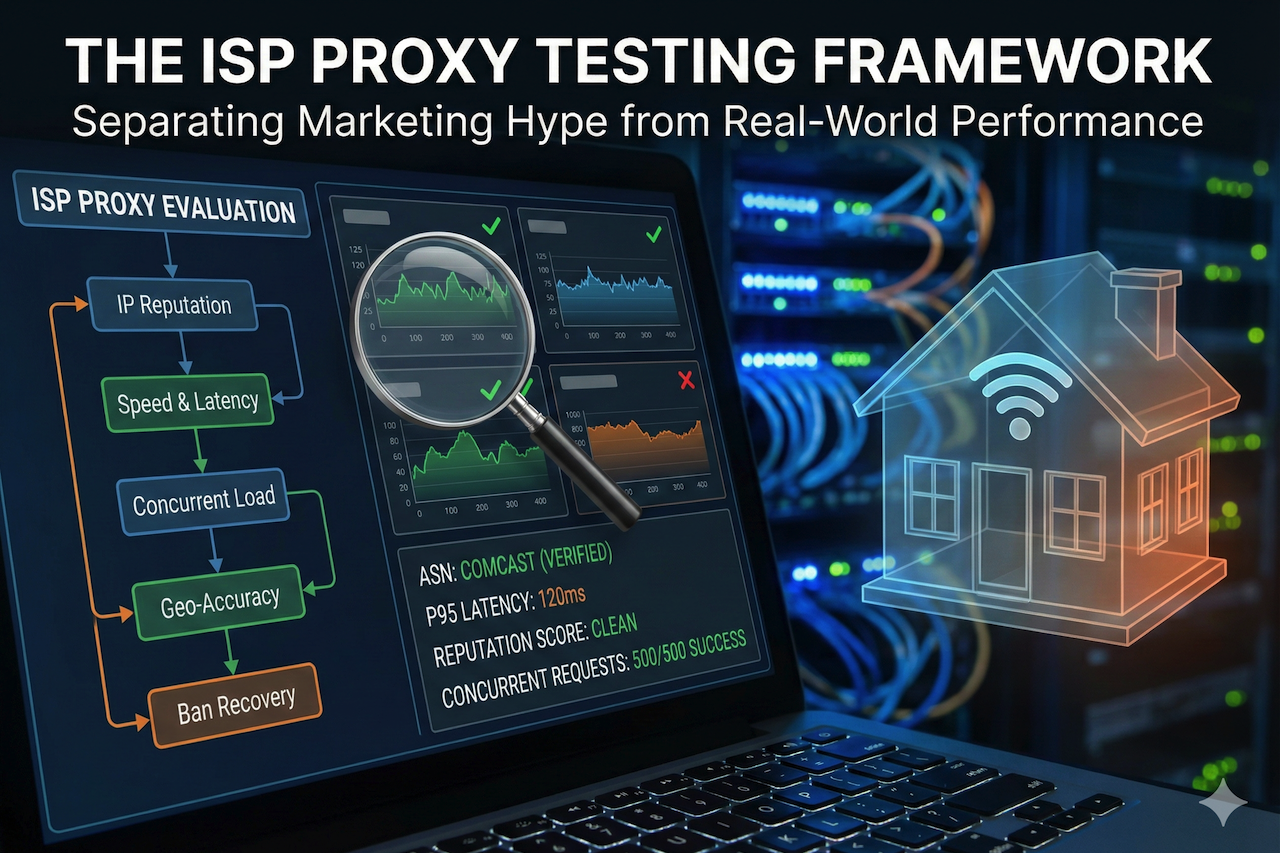
Most people buy proxies blind. They read a few reviews. They check the pricing page. They see "99.9% uptime" and think they're getting something premium.
I've tested over 40 proxy providers in the past three years and scraped millions of pages. Got banned more times than I can count. Burned through hundreds of dollars on providers that looked great on paper but crumbled under real workloads.
Here's what I learned: the proxy market is 90% marketing and 10% actual quality.
ISP proxies sit in a weird middle ground. They promise datacenter speeds with residential legitimacy. Some deliver. Most don't.
After years of trial and error, I've developed a testing framework that separates the pretenders from the performers. This is precisely how I evaluate ISP proxy quality before committing a single dollar.
Why ISP Proxies Are Different
Before we dive into testing, let's clarify what makes ISP proxies unique. Datacenter proxies are fast but easily detected. They come from cloud servers. Websites see them coming from a mile away. Residential proxies are legitimate but slow. They route through real home connections. Great for avoiding bans. Terrible for speed-intensive tasks.
ISP proxies are a hybrid. Static IPs assigned by actual Internet Service Providers, but hosted in the datacenter infrastructure. The promise? Residential-level trust with datacenter-level speed. The reality? It depends entirely on the provider.
Some ISP proxies are indistinguishable from real users. Others get flagged instantly because the provider cut corners on IP sourcing. Testing separates the two.
The Metrics That Actually Matter
Forget what providers tell you. Here's what you need to measure yourself:
Success Rate Under Load
Not just "does it work?" but "does it work when I'm pushing 1,000 concurrent requests?" Any proxy looks good at low volume. Real performance shows up when you stress the system.
IP Reputation Score
Are these IPs clean? Or have they been abused by thousands of users before you? Burnt IPs are the silent killer of proxy performance. Providers won't tell you their IPs are flagged. You have to check yourself.
Geographic Accuracy
Does a "New York" proxy actually show up as New York? Or is it geolocating to a datacenter in Virginia? This matters enormously for location-specific scraping and account management.
Connection Stability
How often do connections drop mid-request? Timeout rates tell you more about infrastructure quality than any marketing page.
Response Time Consistency
Average latency is meaningless. What matters is the variance. A proxy that averages 200ms but spikes to 2 seconds randomly is worse than one that consistently delivers 400ms.
Step 1: Check IP Reputation Before You Buy
This is the step most people skip. Don’t. Before testing performance, verify the IPs aren’t already compromised.
Here’s how:
Use Multiple IP Reputation Databases
Don’t rely on one source. Check against:
- IPQualityScore
- Scamalytics
- IP2Location
- MaxMind
Cross-reference results. If an IP shows clean on one database but flagged on another, that’s a red flag.
Look for ASN Classification
The Autonomous System Number (ASN) tells you who actually owns the IP range. True ISP proxies should show ASNs belonging to actual internet service providers, such as Comcast, Verizon, AT&T, BT, or Deutsche Telekom.
If the ASN traces back to a hosting company or cloud provider, you’re not getting real ISP proxies. You’re getting rebranded datacenter IPs with a markup. I’ve seen providers charge 5x datacenter prices for IPs that clearly originate from AWS or DigitalOcean ranges. Check the ASN. Every time.
Test Against Major Platforms
Request a trial. Point proxies at Google, Amazon, and Instagram, the three most aggressive bot detectors. If you’re getting CAPTCHAs or blocks immediately, the IPs are burnt. Move on.
Step 2: Run the Speed Gauntlet
Raw speed matters, but consistent speed matters more. Here’s my testing protocol:
Test at Multiple Times of Day
Proxy performance fluctuates based on network congestion. A proxy that screams at 3 AM might crawl at 3 PM. Run tests across at least three different time windows over 48 hours.
Measure P95, Not Averages
The 95th percentile response time tells you what your worst-case (realistic) experience looks like. If the average is 150ms but P95 is 1.2 seconds, you’ve got a consistency problem.
Compare Against Baseline
Run the same requests through a direct connection first and calculate the proxy overhead. Good ISP proxies add 50–150ms overhead. Anything above 300ms consistently indicates infrastructure problems.
Test with Real Payloads
Don’t just ping. Make actual HTTP requests that mirror your use case. If you’re scraping JavaScript-heavy sites, test against JavaScript-heavy sites. If you’re running social media automation, test against social platforms. Synthetic benchmarks lie. Real-world tests don’t.
Step 3: The Concurrent Connection Stress Test
This is where most providers fall apart.
Start Low, Scale High
Begin with 10 concurrent connections and measure success rate and response time. Double it and measure again. Keep doubling until something breaks.
Track the Failure Mode
Do connections timeout? Get refused? Return errors? The failure mode tells you where the bottleneck is. Timeouts usually indicate bandwidth constraints. Connection refused errors suggest the provider is rate-limiting you harder than advertised. Error responses often mean IP rotation is failing.
Calculate True Concurrent Capacity
Marketing says “unlimited connections.” Reality says otherwise. Find the point where success rate drops below 95%. That’s your real concurrent capacity, regardless of what the sales page claims.
I’ve tested providers advertising “unlimited bandwidth” that collapsed above 50 concurrent connections. The fine print matters less than the actual performance.
Step 4: Geographic Verification
Location accuracy is non-negotiable for most use cases.
Test with Multiple Geolocation Services
Check each IP against:
- ip-api.com
- ipinfo.io
- MaxMind GeoIP
- IPLocation
If an IP geolocates to different places across different services, that’s a problem. Inconsistent geolocation gets you blocked.
Verify at the Target Level
Some platforms use their own geolocation databases. Google’s geolocation differs from what public APIs show. Test directly. Search for “what is my location” on Google through the proxy and compare against the expected location.
Check for Datacenter Flags
Some geolocation services specifically flag datacenter IPs. Look for “hosting” or “datacenter” classifications. True ISP proxies should classify as residential or ISP. If they’re flagging as datacenter, the provider misrepresented what they’re selling.
Step 5: The Rotation and Stickiness Test
ISP proxies typically offer static IPs, but “static” means different things to different providers.
Verify IP Persistence
Make 100 sequential requests and log the IP for each. If you requested a static IP, you should see the same IP 100 times. Any variation indicates session management problems.
Test Session Recovery
Disconnect and reconnect. Do you get the same IP back? Some providers assign “static” IPs that reset when sessions drop. For account management tasks, this is disastrous.
Measure Rotation Speed (If Applicable)
If using rotating ISP proxies, measure how quickly new IPs are assigned. Slow rotation creates patterns. Patterns get detected. Fast, random rotation is better for scraping workloads.
Step 6: The Ban Recovery Test
This separates serious providers from hobbyists.
Intentionally Trigger Blocks
Use aggressive request patterns against a test target until you get blocked.
Measure Recovery Time
How long until the IP is usable again? Does the provider automatically rotate you to a clean IP, or are you stuck?
Check the Replacement IP Quality
When you get a new IP, is it clean, or did they just rotate you to another burnt address? Some providers have deep IP pools. Others recycle the same 500 IPs endlessly. The ban recovery test exposes which category your provider falls into.
The Red Flags I Always Watch For
After testing dozens of providers, patterns emerge.
Vague IP Sourcing
If a provider can’t clearly explain where their IPs come from, they’re hiding something. Legitimate ISP proxy providers can name the ISPs they partner with.
No Trial or Money-Back Guarantee
Quality providers offer trials. They know their product performs. Providers that demand commitment upfront are betting you won’t test thoroughly.
Suspiciously Low Prices
ISP proxies cost money to source legitimately. If someone’s undercutting the market by 70%, they’re either subsidizing with compromised IPs or running a bait-and-switch.
Overselling Capacity
“Unlimited” is a marketing word, not a technical reality. Providers that promise unlimited everything are overselling their infrastructure.
Poor Documentation
Serious providers have detailed API docs, integration guides, and troubleshooting resources. Providers with one-page websites and vague FAQs are operating on thin margins.
The Bottom Line
Testing proxies properly takes time. Most people don’t do it. That’s exactly why most people complain about proxy quality.
The providers know most buyers test casually: one request, looks good, purchase. Then problems appear at scale and everyone’s surprised.
Don’t be that buyer. Build a testing protocol, run it religiously, and document results. The 2–3 hours you spend testing saves weeks of debugging failed scrapes, banned accounts, and wasted money.
ISP proxies can be incredibly powerful when sourced correctly, but “ISP proxy” is a label anyone can slap on any product. Your testing is the only thing that separates marketing claims from operational reality.
Trust the data. Not the sales page.
Featured Image generated by Google Gemini.
Share this post
Author

Leave a comment
All comments are moderated. Spammy and bot submitted comments are deleted. Please submit the comments that are helpful to others, and we'll approve your comments. A comment that includes outbound link will only be approved if the content is relevant to the topic, and has some value to our readers.






Comments (0)
No comment