
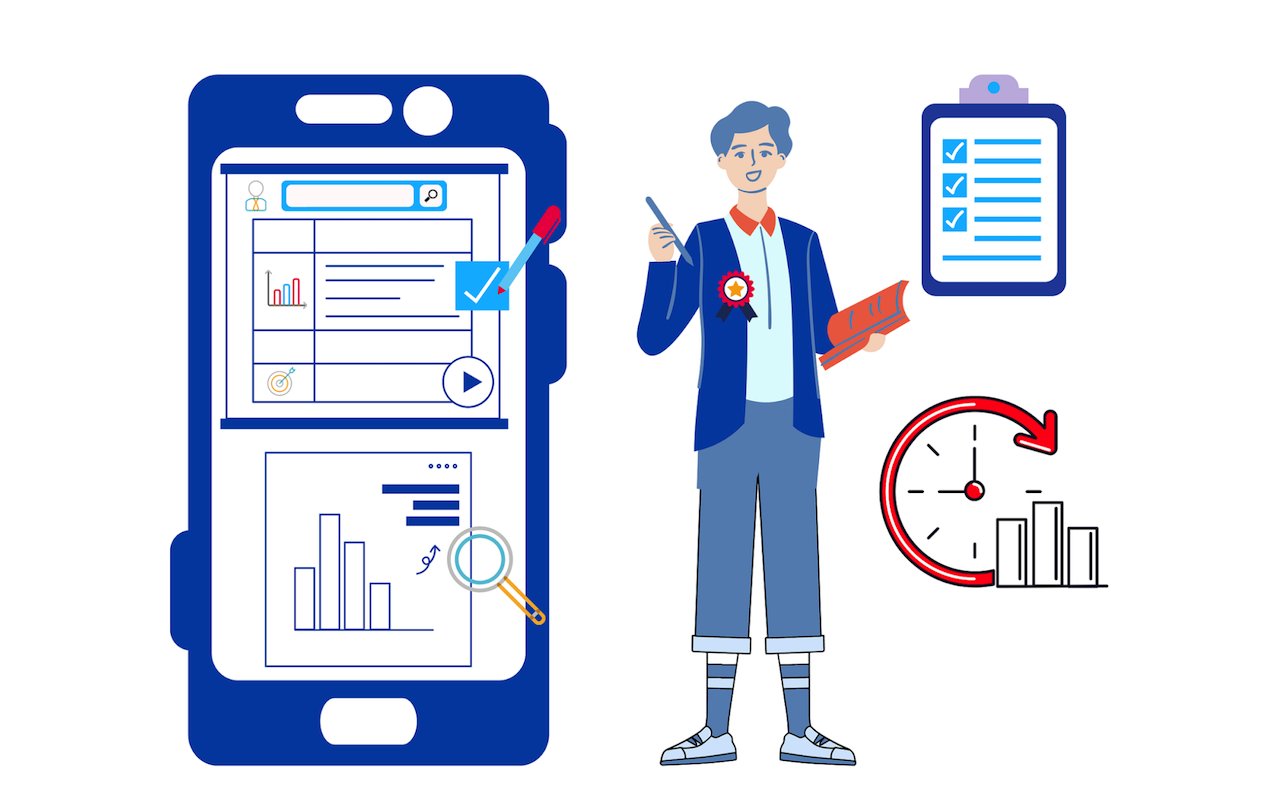
In a world where you juggle between an intense workload and increasing personal commitments, time management is a real challenge. That’s where calendars come to your rescue. Using a calendar app, you can streamline work, prioritize tasks, and be more productive.
The global calendar app market is worth more than $5.7 billion. That's how popular calendars have become.
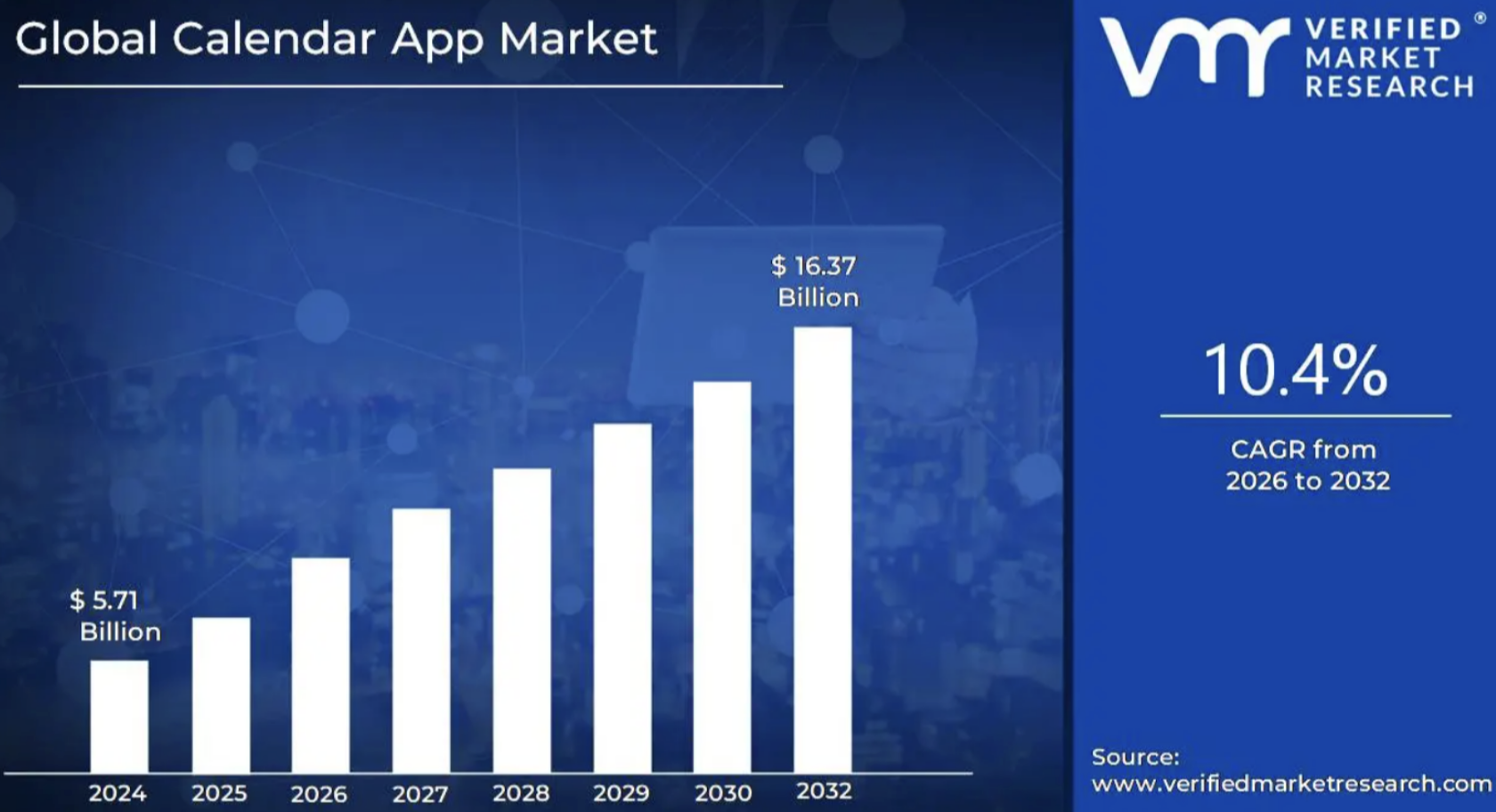
Image by Verified Market Research.
However, users raise serious concerns about data security and privacy protection. They encounter data risks, such as phishing, data leakage, and malware, while using standard calendar apps. In other words, there is a significant demand for a secure calendar design that is both professional and user-friendly. If you are looking to create a calendar design that scores high on security and usability, this post is for you.
A widespread use of calendars has made them a prime target for cyberattacks. Hackers may steal valuable data through phishing links, malware, unsafe integration, and unauthorized access to devices. Create a secure calendar design to ensure privacy and data protection.
I have curated a list of 7 key factors to focus on to create a functional yet secure calendar design.
7 Factors to Focus on While Creating a Secure Calendar Design
1. Advanced Data Encryption
Calendars often contain sensitive personal and organizational data. The chances of data leakage multiply when calendar invites are shared without proper security measures.
End-to-end encryption (E2EE) ensures confidentiality. Encrypt both user and event data to protect it from third-party users. Neither service providers nor middlemen will be able to read encrypted data.
Private and public keys are automatically generated to allow only the authorized participants to access calendar details. Remember to encrypt data both in transit and at rest. You can also use a robust data masking solution to safeguard sensitive data without hindering the user interface.
Some of the widely used data encryption algorithms include Advanced Encryption Standard (AES), Elliptic Curve Cryptography (ECC), RSA, and now outdated Data Encryption Standard (DES). Adopt any of these standards to safeguard sensitive data with a key-based protection.
End-to-end encryption (E2EE) protects data confidentiality in calendar apps. You can utilize data encryption standards such as AES, ECC, and RSA to provide secure key-based protection to calendar users.
2. Data Minimization
Data minimization is a key principle while creating a secure calendar design. It emphasizes collecting a minimum amount of data from the users. It is a great practice to collect limited user data, store it securely, and use it only for the purpose for which it was collected.
Whether you are using a calendar for an event or project management, handling limited data reduces risk. When you possess limited sensitive data, it reduces the overall maintenance and storage costs.
Data minimization not only aids in creating a secure calendar design but also boosts customer trust. By respecting the users’ privacy, you can gain their loyalty.
3. Secure Authentication
You can create a custom visual calendar to collaborate and achieve higher productivity. However, when multiple users are accessing a calendar simultaneously, the data becomes vulnerable.
Strong authentication is key to a secure calendar design. This allows legitimate users to utilize your calendar’s features while preventing unauthorized access. Some measures you can adopt are:
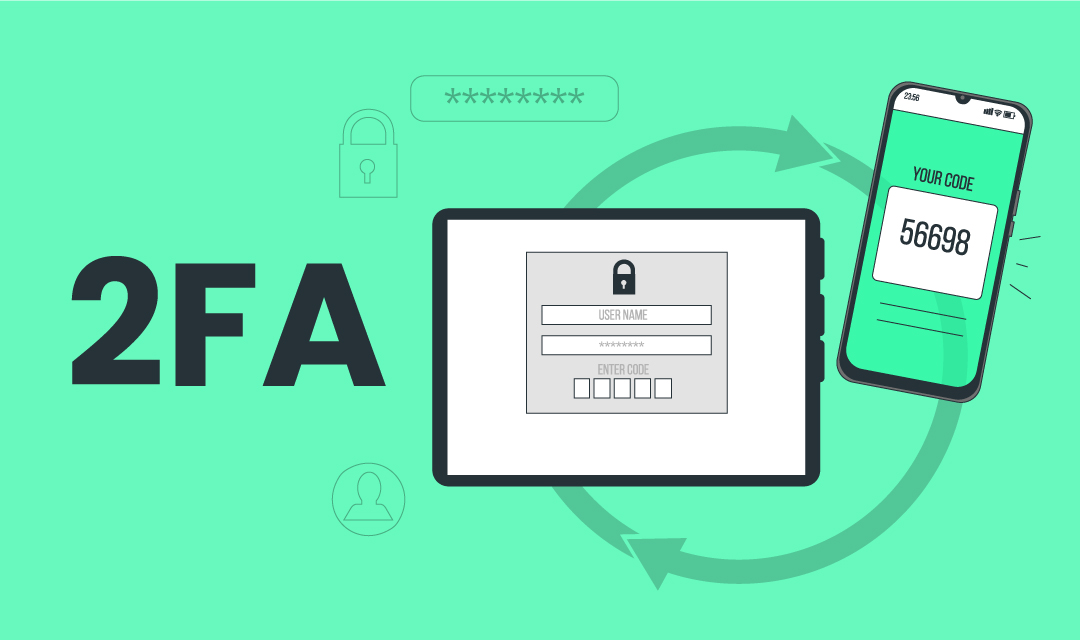
- Two-Factor Authentication (TFA): Include two distinct forms of identification for users to log in. This may consist of a secure password and a PIN sent to the user’s phone.
- Multi-Factor Authentication (MFA): Use MFA for administrative or management-level access, granting it only to employees authorized to handle sensitive data.
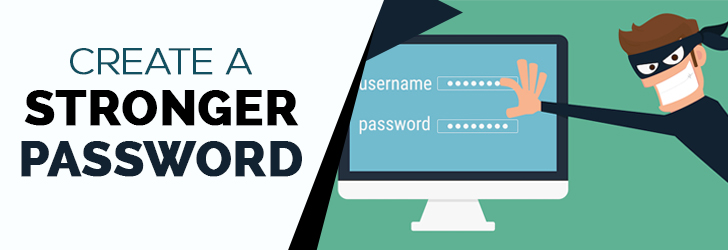
- Strong Password Policies: Enforce strong, encrypted passwords to reduce the risks associated with weak password habits and protect user data.
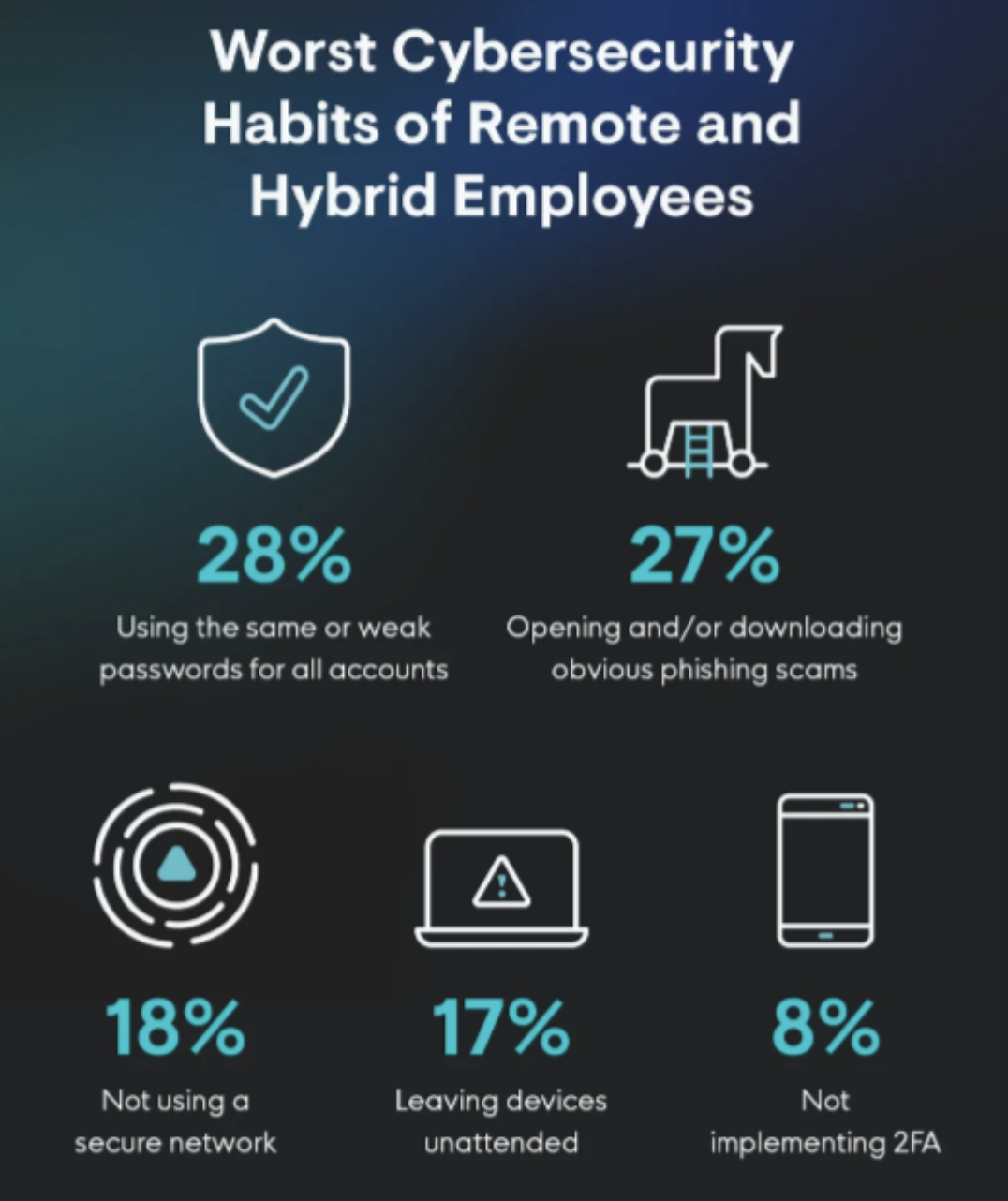
Image by Huntress.
Use authentication and authorization techniques to prevent unauthorized users from accessing important data. Include Two Factor Authentication (TFA), Multi-Factor Authentication (MFA) settings to control access in calendars and prevent data theft.
4. Access Controls and Permissions
Role-based access control (RBAC) helps protect internal data from insider threats. Calendar apps used for events, projects, or organizational workflow contain a variety of sensitive data. Without a secure calendar design, anyone can access and misuse such information.
Incorporate advanced settings in your calendar to control access and permissions at various levels. Users could be given access based on their specific project responsibilities.
Allow admins to grant permission to specific events, meetings, and sessions instead of sharing the entire calendar with the team. Granular control settings streamlines collaboration while preventing data theft or leakage.
5. Compliance and Transparency
A secure calendar design must have a strong compliance and transparency policy. Some of the compliance laws you should keep in mind are:
- GDPR and Data Protection Act 2018
- CCPA (California Consumer Privacy Act)
- PIPEDA (Personal Information Protection and Electronic Documents Act)
- DPDP Act (Digital Personal Data Protection Act)
Provide multiple content options while collecting user data. Display a clear and transparent privacy policy to educate users and avoid legal implications.
6. Secure APIs and Integrations
Users may integrate multiple APIs and third-party apps with a calendar to enhance its functionalities. Unsafe integrations may open doors for malware attacks as well as data leakage.
When you create a secure calendar design, include these security settings:
- Ask for strong API authentication before integration.
- Use mandatory data input validation before processing it.
- Implement a secure webhook to protect calendar invites and notifications.
When integrating third-party apps, insist on regular updates and appropriate security standards. Such standard protocols will prevent unauthorized access, making your calendar secure.
Cybercriminals and hackers may use third-party apps and APIs to steal data from your calendar. Implement advanced security settings such as API authentication, data input validation, and secure webhooks to prevent cyberattacks.
7. Periodical Testing and Security Upgrades
There is no one-size-fits-all solution for cybersecurity. Once you develop a secure calendar design, it has to be tested regularly for safety.
You can conduct penetration testing, security code reviews, fuzz testing, and dynamic app security testing to maintain the highest level of security. You can develop a comprehensive testing methodology and quality improvement lifecycle to streamline the process.
To ensure your secure calendar design is equipped to face the most destructive cyber attacks, release periodic upgrades. Include the latest security and privacy protection features to protect user data.
The only way to ensure calendar safety is to adopt the latest security and privacy protection settings. Utilize techniques such as penetration testing, security code reviews, fuzz testing, and dynamic app security testing. These help identify the vulnerable points in your calendar and update them accordingly.
Final Thoughts
With all the principles discussed above, creating a secure calendar design might seem overwhelming. However, it’s worth the effort given the seriousness of modern security risks.
When designing a secure calendar, focus on balance. Alongside advanced security features, make sure your app remains intuitive, engaging, and professional.
Take the time to deepen your understanding of core security principles, and you’ll be well-positioned to build a calendar that protects user data while earning long-term trust and adoption.
 FAQs
FAQs
Many rely on Google’s Calendar API to integrate it with an existing set of tools. Along with these, you can use programming models like Swift (iOS), Kotlin (Android), and more. Database solutions like PostgreSQL or MongoDB can improve your app’s UI and UX.
It is easy to modify the settings. In your calendar settings, uncheck the box that says ‘make available publicly’. This prevents third-party users from viewing the content of your calendar. Unchecking this option restricts visibility and helps protect your data from unauthorized access.
A good calendar should be easy and fun to use. It should include features like reminders, booking slots, task or content scheduling, and time blocking for optimal usage.
Featured Image by Pixabay.
Share this post
Author

Read the latest articles from Reena Aggarwal
Top 5 Webflow Agencies to Design a Secure Website
December 11, 2025
Website security determines usability and even affects your SEO. This is because Google prioritizes secure connections, such as SSL, as a positive ranking signal. That’s why using the right Webflow agencies to design secure websites is vital.
Learn moreThe Role of AI in Reshaping Financial Operations for B2B SaaS Businesses

August 20, 2025
Managing finances in a B2B SaaS company is a constant balancing act. As your business grows, tracking revenue, managing expenses, and ensuring compliance become complicated and time-consuming. It’s worse if you’re relying on traditional systems that risk cash flow gaps, missed revenue and opportunities, and o [...]
Learn moreLeave a comment
All comments are moderated. Spammy and bot submitted comments are deleted. Please submit the comments that are helpful to others, and we'll approve your comments. A comment that includes outbound link will only be approved if the content is relevant to the topic, and has some value to our readers.

Comments (0)
No comment