
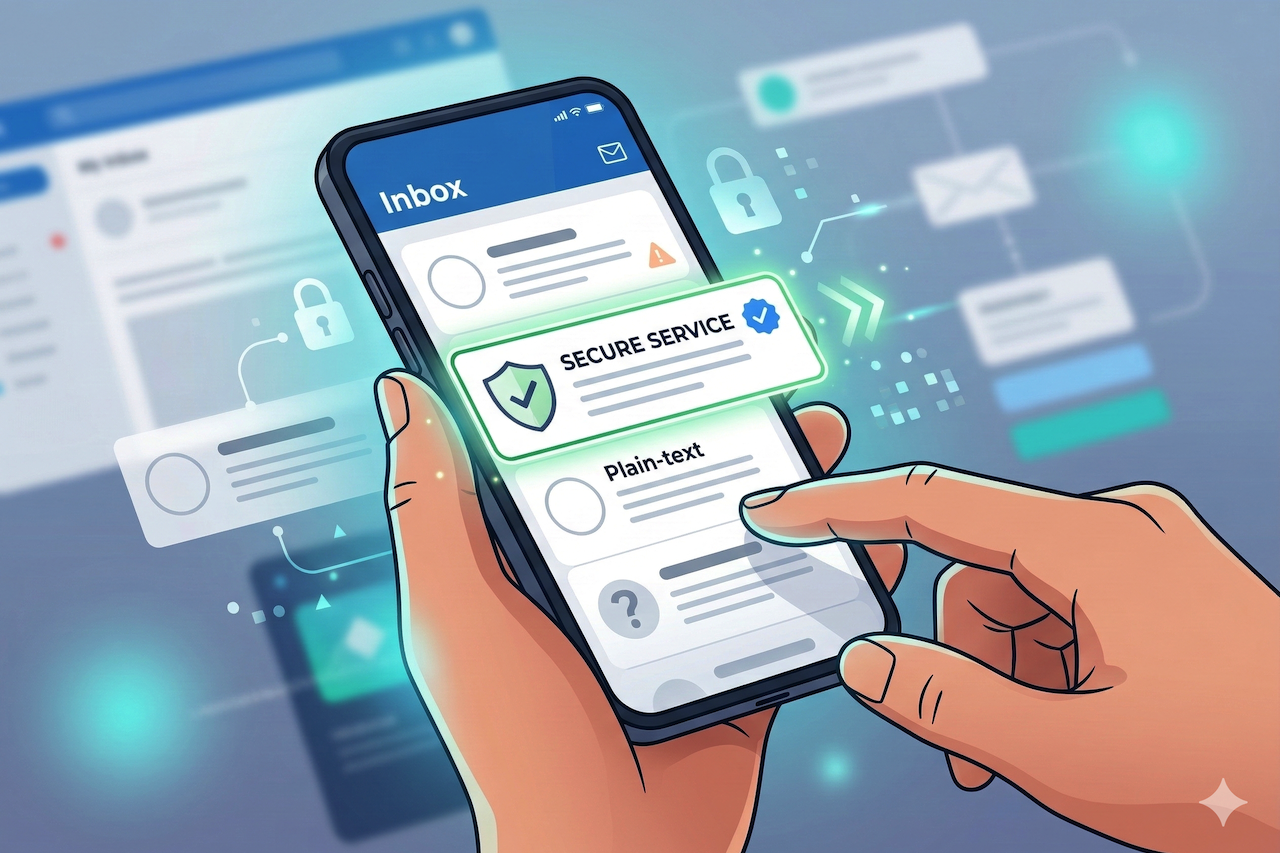
Email trust is often assumed to be something users assess after opening a message. The common belief is that people read the content, verify the sender, or check links before deciding whether to trust an email. In practice, that decision is usually made much earlier. The inbox itself has become the real point of judgment.
When people scroll through their inbox, they are not carefully analyzing each message. They are rapidly scanning and filtering. Within milliseconds, their brains categorize emails as safe, suspicious, or irrelevant. What matters first is how the message appears in the inbox. The actual content of the email plays a very small role at this stage.
Over time, users have developed a visual intuition for email. They rely heavily on familiar patterns, logos, and consistency rather than reading subject lines or scrutinizing sender details. Trust in email is no longer purely technical, based only on authentication protocols. It is increasingly visual, instinctive, and immediate.
The Inbox Has Become a Trust Interface
Modern inboxes are far more than simple lists of incoming messages. They now function like decision-making interfaces that guide user behavior. Every visual element, from sender placement to profile imagery, influences how people interpret legitimacy.
Most users do not examine sender domains or look into authentication headers. Instead, they scan. People react to what they recognize. Familiar logos and colors make them feel safe, while something that looks generic or slightly off makes them hesitate.
Email platforms have gradually adapted to this behavior. They now highlight identity more clearly before users even open a message.
Visual Signals Users Instinctively Trust
1. Brand Logos in the Inbox
A brand logo in the inbox serves as an immediate identity anchor. Users do not consciously process it. Recognition happens almost automatically.
When people spot a logo they already know, it immediately feels familiar and real. Even if the subject line isn’t very clear, that recognizable logo often makes them more comfortable with the email.
By contrast, text-only senders appear more impersonal and anonymous. The absence of visual identity creates subtle friction. Users may not consciously articulate it, but they instinctively feel less confident about the message.
2. Verified-Style Indicators and Badges
Over the years, social platforms and digital applications have trained users to associate certain symbols with authenticity. Blue ticks, checkmarks, and verification badges have become widely recognized credibility signals.
Most people don’t understand the technology behind these signals; they trust what they see. Email inboxes are slowly being built around that same behavior.
When a message displays a badge-like indicator or a validated visual marker next to a sender, users subconsciously interpret it as proof of legitimacy. Their experiences across other digital platforms largely influence this trust.
3. Consistent Sender Identity
Visual trust depends strongly on consistency. When the sender name, domain, and visual identity align seamlessly, the message feels coherent and reliable.
Any mismatch creates hesitation. If a familiar brand shows up with a strange or generic visual, it feels off. Even when the email is legitimate, that mismatch can make people doubt it.
Users rarely analyze this discomfort logically. They feel uncertain. That hesitation alone can reduce engagement or lead them to treat the email with suspicion.
What Actually Enables These Inbox Visuals
Inbox visuals do not appear randomly. They rely on a structured framework that allows email providers to display brand logos in a standardized manner. This is where Brand Indicators for Message Identification (BIMI) becomes important.
BIMI basically tells email providers where to get a brand’s logo and how to show it next to messages. It gives senders and inbox platforms a common way to work together, so the logo looks more consistent no matter where the email lands.
However, simply displaying a logo is not sufficient. There must also be a way to confirm that the brand legally owns that logo. This is where Verified Mark Certificates (VMC) and Common Mark Certificates (CMC) come into play.
BIMI certificates act as a validation mechanism. They confirm that the organization sending the email has the legal right to use the logo being displayed. The inbox provider checks this verification before rendering the visual identity.
When Visual Trust Is Missing, Doubt Creeps In
Text-only emails often feel anonymous, even when they come from legitimate organizations. There is no visual anchor to ground the message. Everything looks the same, just another line of text in a crowded inbox.
In that situation, users hesitate. They might pause before clicking, or ignore the email altogether. The content could be important, but the lack of visual credibility makes them cautious.
Without BIMI-enabled visuals, senders blend into the noise. They lose the subtle advantage that visual recognition provides. The impact is rarely dramatic in a single email, but over time it adds up. Trust erodes quietly rather than collapsing all at once.
Inbox Trust Is Following the Same Path as Website Trust
A useful parallel exists with how people learned to trust websites. Years ago, users had little awareness of HTTPS or encryption. Then the browser lock icon became a familiar signal.
Most users still do not understand TLS, certificates, or key exchange. They know that the lock icon means the site is probably safe. The visual cue replaced technical understanding.
A similar shift is happening in email. Visual verification is becoming an expected part of what constitutes a “legitimate” message. BIMI with VMC or CMC performs a similar role for inbox trust by displaying the brand logo and, in Gmail, a blue tick.
Why This Matters for Brands and Senders
Trust shapes whether an email even gets a chance. Before anyone reads the first line of copy, the inbox visual has already influenced their mindset.
This affects engagement directly. Emails that look more credible tend to attract more attention and fewer reflexive ignores. It also feeds into the sender's reputation over time. Consistently trusted visuals build familiarity and reduce friction.
Deliverability is influenced not only by technical authentication but also by how users interact with messages. If recipients consistently engage with a sender, inbox providers take note.
For many organizations, inbox visuals are slowly becoming part of brand identity strategy. The logo is no longer just for websites and apps. It now lives inside the inbox as well.
Conclusion
Trust is ultimately decided in the inbox, not in the email body. Users do not sit there evaluating authenticity; they sense it. Visual cues shape that instinctive reaction. Technologies like BIMI, supported by VMC and CMC, are making that trust visible. Brands that take inbox identity seriously gain attention before the click, and that first moment of trust often makes all the difference.
Featured Image generated by Google Gemini.
Share this post
Leave a comment
All comments are moderated. Spammy and bot submitted comments are deleted. Please submit the comments that are helpful to others, and we'll approve your comments. A comment that includes outbound link will only be approved if the content is relevant to the topic, and has some value to our readers.


Comments (0)
No comment