

RoxyBrowser Review: Is it the Best Antidetect Browser?
Privacy matters more than ever as we head into 2026. As digital privacy walls tighten and browser fingerprinting becomes more sophisticated, choosing a future-proof antidetect browser is crucial for 2026.
RoxyBrowser has established itself as a strong contender, but will it hold its edge in the coming year? This review breaks down its capabilities and evaluates its potential to be your go-to solution in 2026.
What is RoxyBrowser
RoxyBrowser is an anti-detect browser built for privacy and multi-account operations. It creates isolated browsing environments with customized fingerprints that websites cannot link together. Designed for marketers, businesses, and privacy advocates, this platform handles everything from social media management to secure web scraping without detection.
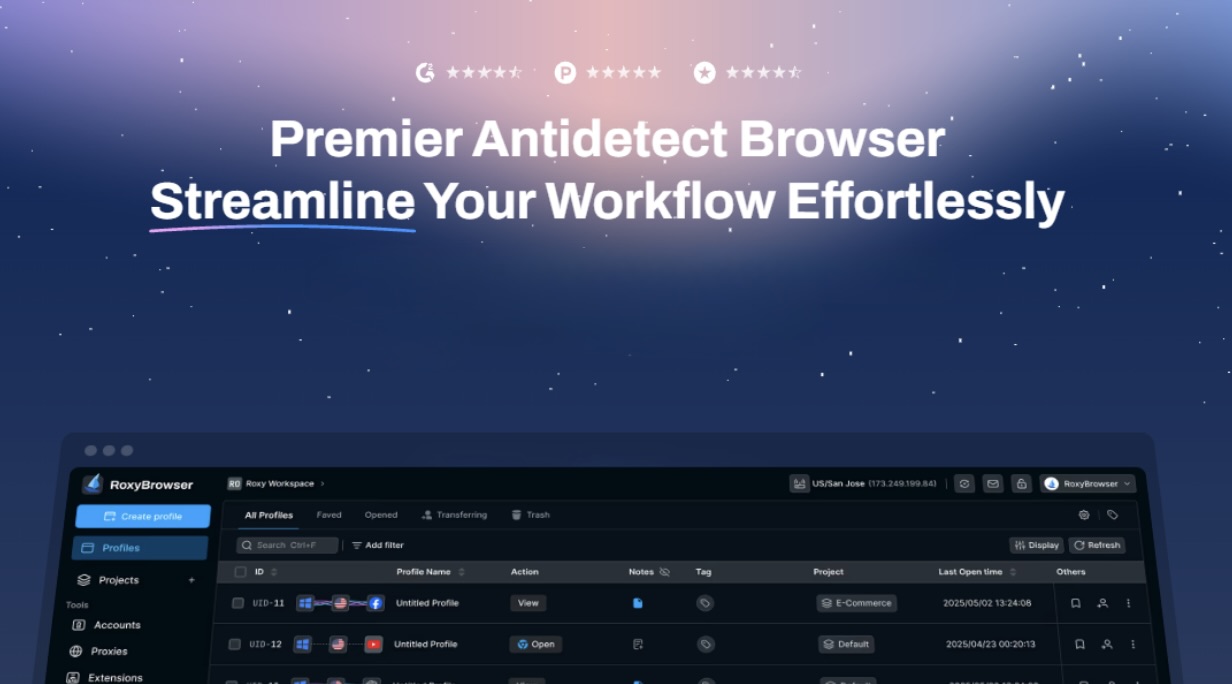
What Can RoxyBrowser Do?
Authentic Fingerprint Generation
It creates unique device fingerprints for every profile. It randomizes canvas data, WebGL rendering, timezone settings, fonts, and hardware specifications. This technology makes each session appear to tracking systems as a completely different user.
Complete Profile Isolation
Every browser profile operates in total isolation. Cookies, cache, browsing history, and session data never mix between profiles. This prevents platforms from connecting your accounts through shared digital traces.
Flexible Proxy Configuration
Connect any proxy type—residential, mobile, or datacenter—from over 195 countries. The built-in proxy manager tests connections and matches your fingerprint to your IP location automatically. With these features, you can easily bypass blocked sites and ensure authentic browsing that effectively evades geo-restrictions.
Powerful Automation API
The application integrates seamlessly with Selenium, Puppeteer, and Playwright. And most importantly, it supports MCP. Whether you’re using ChatGPT, Claude, or any MCP-enabled AI agent, your AI can now launch browsers, create sessions, change IPs, and perform tasks — all automatically and securely while maintaining human-like behavior patterns that avoid bot detection.
Secure Team Workspaces
Create team environments with granular permission controls. Share browser profiles with colleagues without exposing passwords or triggering security alerts—track team activity through detailed logs for accountability.
Pros and Cons
Pros
- Comprehensive fingerprint customization options
- Permanent free tier with five profiles
- Clean interface that's easy to navigate
- Strong encryption protects all data
- Excellent performance with multiple profiles
- Regular updates with new features
Cons
- Newer platform with a smaller user base
- Premium features require a paid subscription (after a 7-day free trial)
RoxyBrowser vs Other Alternatives: The 2026 Competitive Landscape
When planning your toolkit for 2026, comparing the long-term value and trajectory of platforms is key. Here’s how this platform stacks up against major alternatives based on current offerings and development momentum.
| Feature | RoxyBrowser | AdsPower | GoLogin | Multilogin | Dolphin Anty |
|---|---|---|---|---|---|
| Free Plan | ✅ 5 profiles forever | ✅ 2 profiles | ✅ 3 profiles (7 days) | ❌ None | ✅ 10 profiles |
| Monthly Cost | Start from $4.8/mon | Start from $9/mon | Start from $24/mon | Start from $99/mon | Start from $89/mon |
| Fingerprint Tech | Advanced | Good | Standard | Premium | Advanced |
| Profile Limit | Unlimited (paid) | Plan-based | Plan-based | Plan-based | Plan-based |
| API Access | ✅ Full | ✅ Available | ✅ Limited | ✅ Advanced | ✅ Available |
| Team Collaboration | Flexible roles | Available | Basic | Enterprise | Available |
| Ease of Use | High | Medium | High | Low | Medium |
| Platform Support | Win, Mac | Win, Mac | Win, Mac, Linux | Win, Mac | Win, Mac |
| Best For | Small-medium business | Agencies | Solo marketers | Enterprises | Crypto traders |
Note: The pricing and feature comparison above is based on information available as of late 2025. For the most accurate and up-to-date plans as you plan for 2026, always check each provider‘s official website.
RoxyBrowser offers the best balance between affordability and features. While Multilogin provides superior technology, its enterprise pricing excludes most users. Dolphin Anty offers more free profiles but charges significantly more for paid plans. AdsPower and GoLogin compete closely, but the application's permanent free plan and competitive pricing give it an edge.
As the best anti-detect browser, RoxyBrowser delivers professional-grade protection without the premium price tag that established competitors demand.
How to Set Up and Use
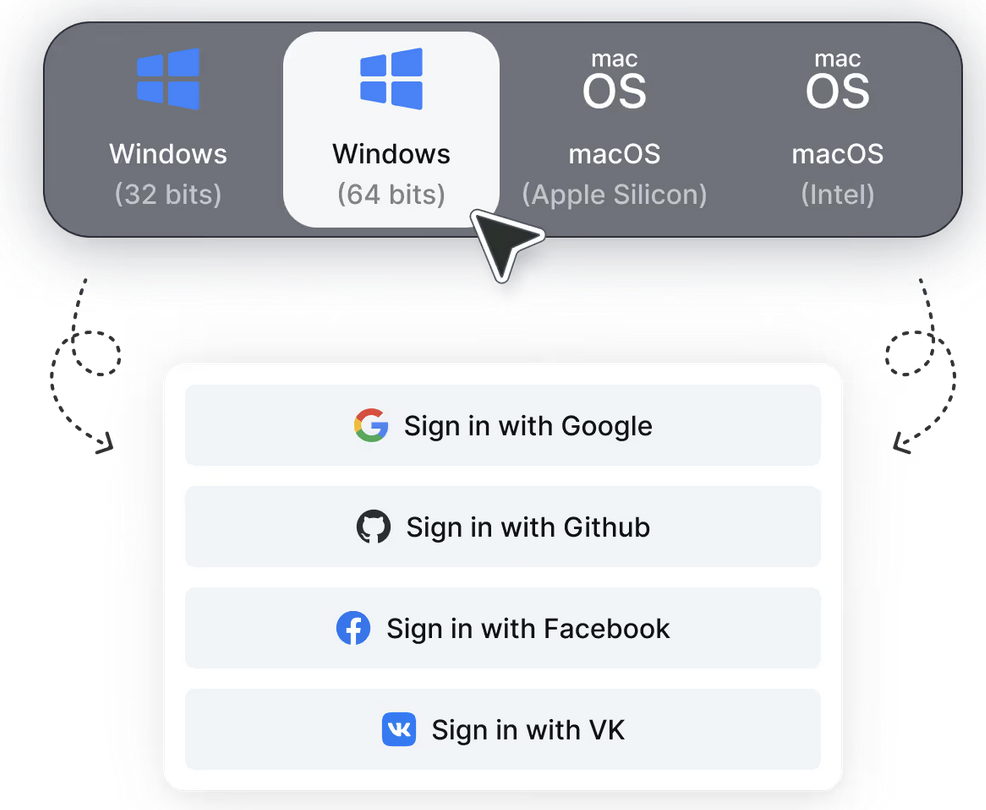
- Visit the Official Site: Download the installer for your operating system (Windows or macOS). Install the application and complete the registration process to create your account.
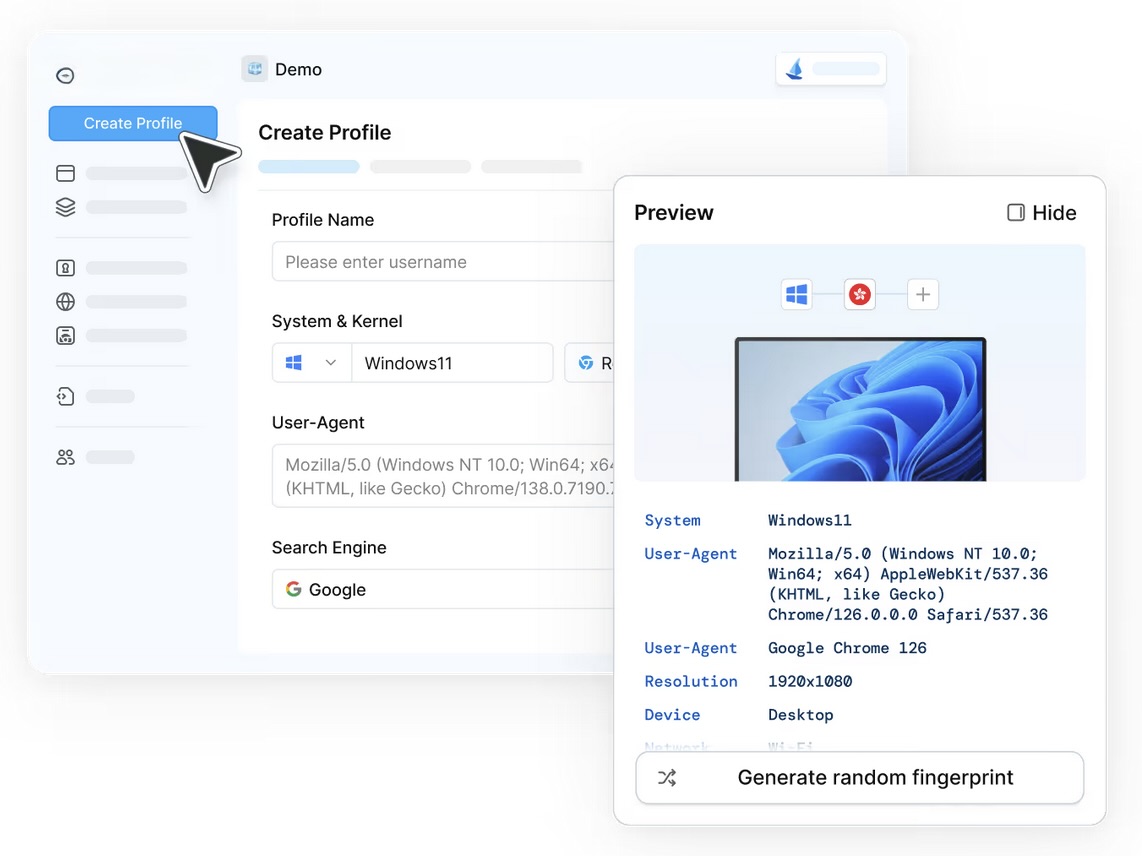
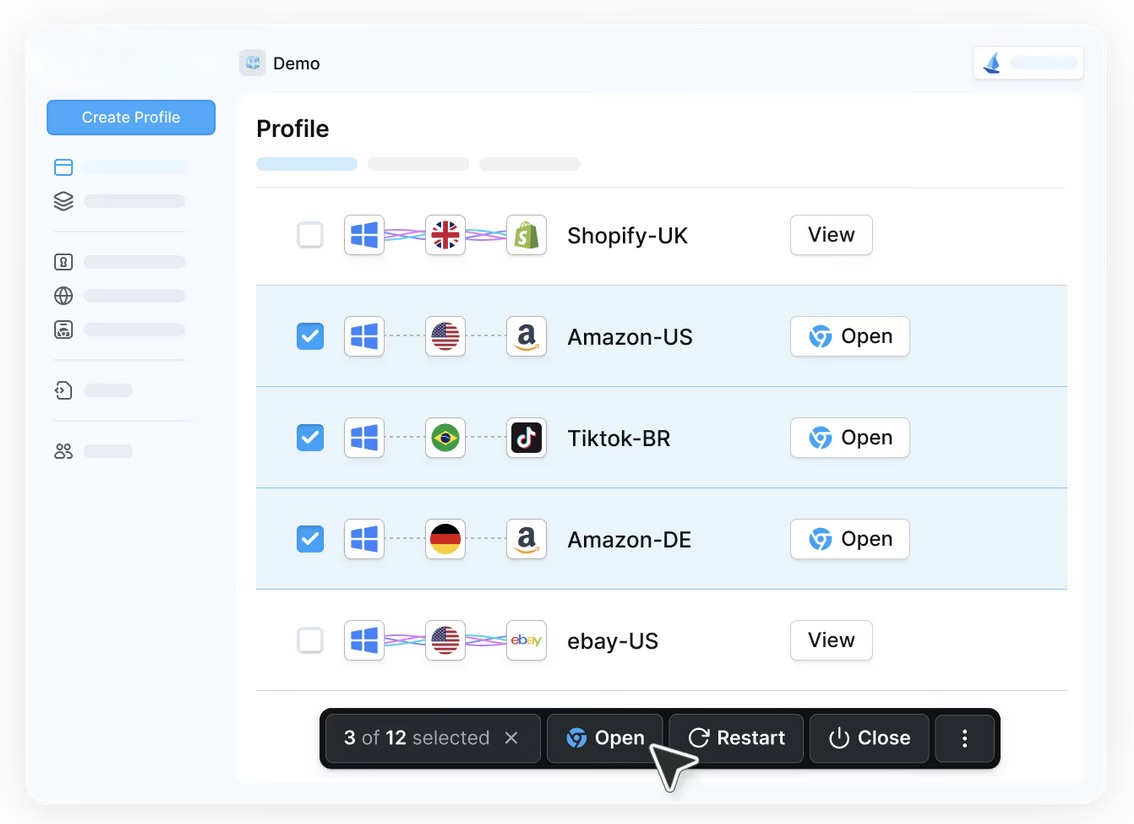
- Create and Configure Your Profile: Launch the platform and navigate to "Create Profile" in the main dashboard. Configure your fingerprint parameters, including browser type, operating system, screen resolution, language, and timezone. Choose settings that match your needs.
- Start Browsing with Your Protected Identity: Save your configuration and click "Open" to begin browsing with your new protected identity.
Subscription Plans
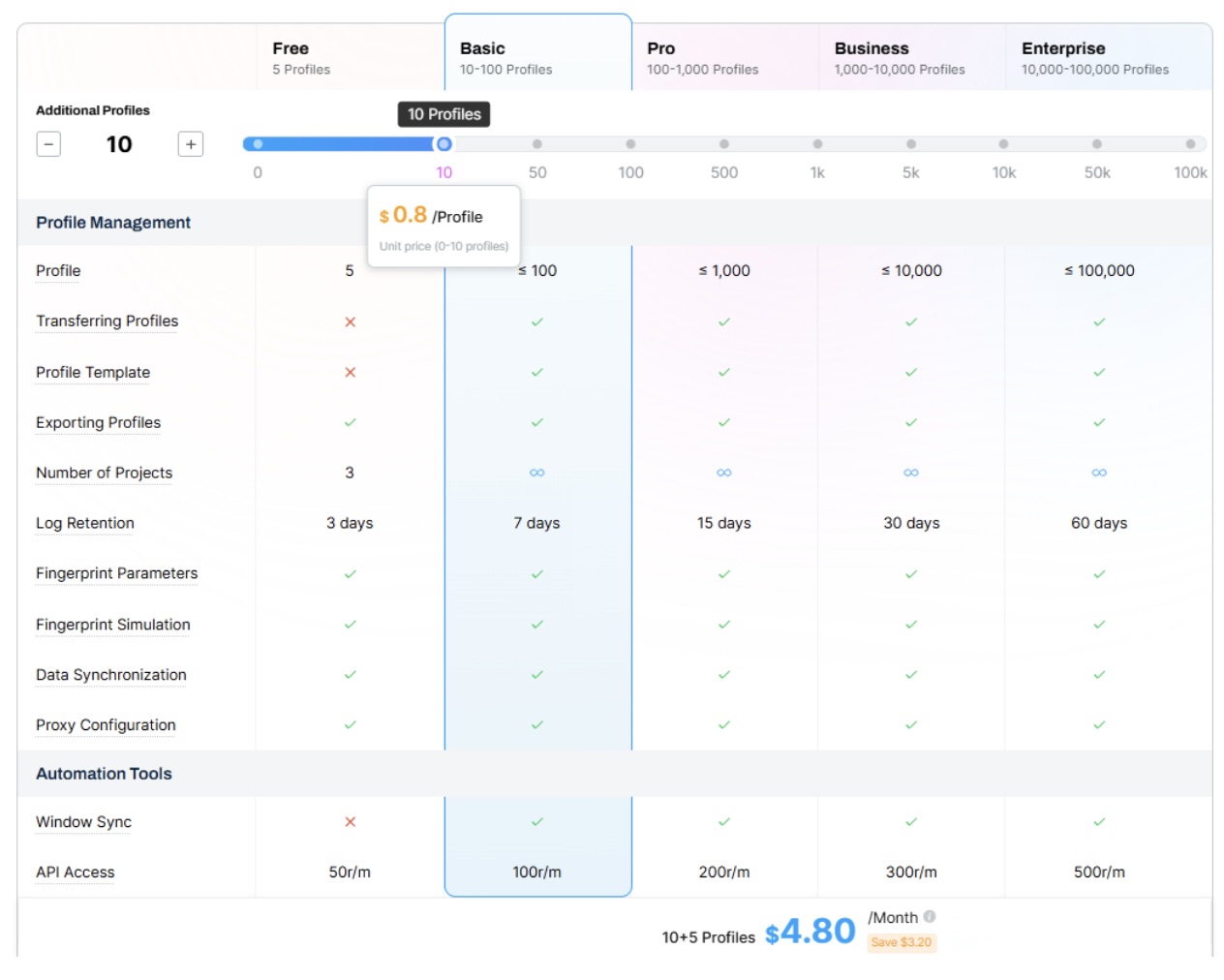
RoxyBrowser offers a free, forever plan with five browser profiles—perfect for testing or small-scale operations. Premium plans unlock unlimited profiles, team collaboration features, and priority customer support. All paid tiers include a 7-day free trial so you can evaluate the complete platform risk-free. And you can customize the pricing plan based on your needs.
Conclusion: Is RoxyBrowser a Smart Choice for 2026?
RoxyBrowser proves itself as a top-tier anti-detect browser in 2025. It also makes a compelling case for anyone seeking a balance between advanced features and cost-effectiveness in their 2026 anti-detect browser strategy.
The landscape is constantly shifting, with incumbents like Multilogin serving the enterprise and Dolphin Anty catering to specific niches. However, for small to medium businesses, marketers, and privacy-focused users planning for 2026, this platform's combination of robust technology, scalable pricing, and user-centric design makes it a contender worthy of serious consideration and a trial run.
 FAQs
FAQs
Absolutely. While designed for multi-account management, it functions excellently as a private web browser for everyday use. Create profiles for each activity to keep them separate.
Yes, it works with virtually all websites when properly configured. It bypasses detection on major platforms, including social networks, e-commerce sites, and streaming services.
The free plan includes five profiles with full fingerprint customization. Paid plans offer unlimited profiles, team workspaces, priority support, and advanced collaboration features for professional use.
Disclaimer
This review represents the author’s personal perspective based on available information and independent analysis. It should not be considered as official advice, endorsement, or verification of any third-party products or services mentioned in this article.
Please note that iplocation.net is not affiliated with the tools referenced here and is not responsible for the content, accuracy, or policies of external websites linked throughout this article. Users should conduct their own research and exercise caution when visiting or relying on third-party resources.
Featured Image generated by Google Gemini.
Related Articles

March 28, 2026
How to Scrape App Store Reviews at Scale: A Residential Proxy Guide to Global Review Intelligence
The volume of app store and marketplace review data has exploded alongside the growth of digital products. Every day, millions of users leave feedback across platforms like the App...
Read More
December 15, 2025
How AI Automation and Smart Proxies Turn Your Browser Into a Super-Worker
Lately, automation has really changed how teams get things done online. But the significant shift occurred when automation combined with two essential components: AI behavior and i...
Read More
November 14, 2024
Bright Data Review: The comprehensive proxy solution
In the realm of proxy solutions, Bright Data proxy stands out as a benchmark, renowned for its robust management tools and innovative features. Catering primarily to enterprise cli...
Read More
Comments
Comments are available to signed-in users and are moderated to keep the discussion useful and respectful. Spam, automated submissions, and low-value promotional comments are removed. Outbound links may be approved when they are relevant and genuinely helpful to readers, but they are displayed as plain text rather than clickable hyperlinks.
No comments have been published yet.
Please sign in to submit a comment.