

Cybersecurity, Information Technology
Enterprise Hardware Requirements for Securely Connecting Remote Teams
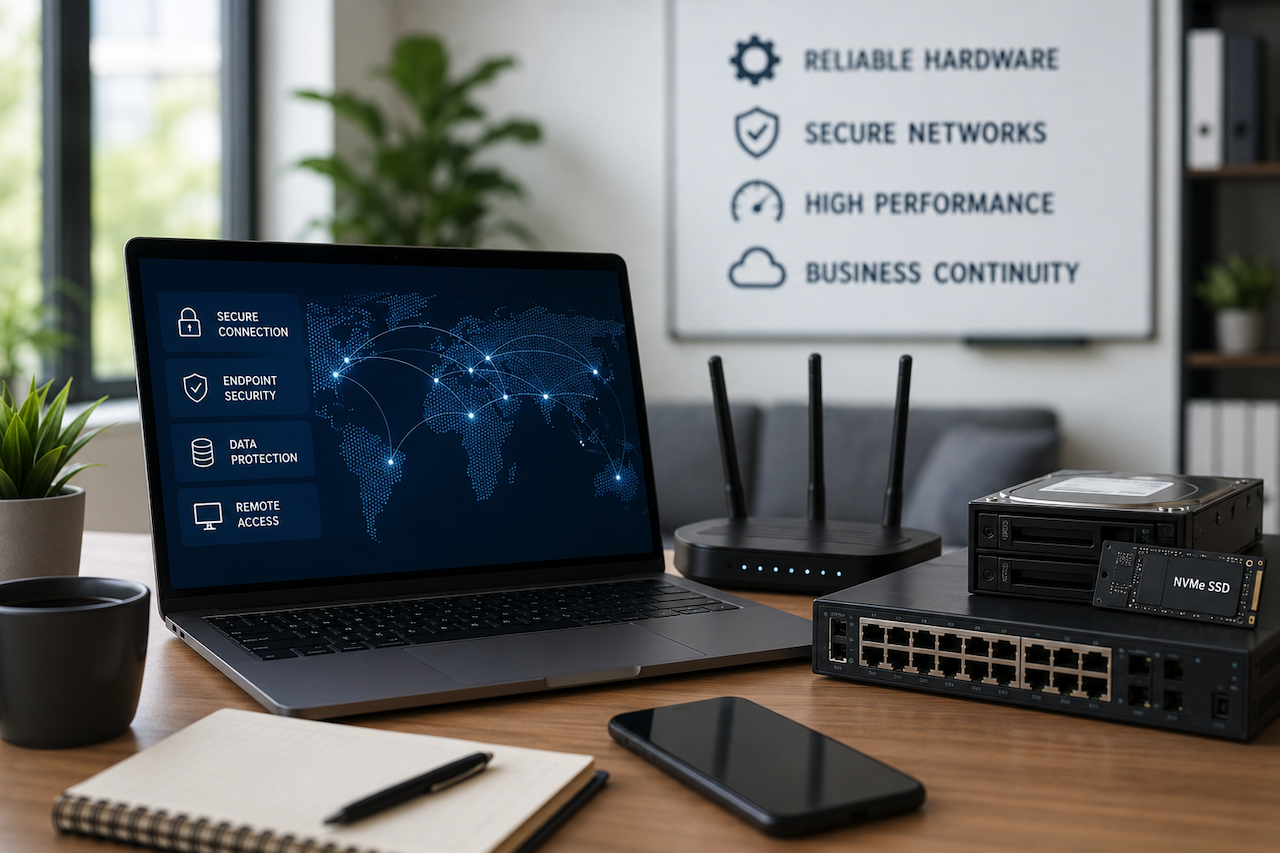
Post-pandemic, remote work not only gained popularity but also introduced new operational risks. Lagging systems, disruptions in access, compromised endpoint security, and a surge in cyber threats began affecting the reliability and integrity of remote work environments.
Here is a very common misconception that still prevails: securely connecting remote teams is not primarily a software problem. Collaboration apps and cloud platforms do matter, but they cannot compensate for weak infrastructure. In practice, remote work succeeds or fails at the hardware layer. Secure remote teams are built on infrastructure, not optimism.
Why Remote Teams Require Different Hardware Infrastructure
A conventional workplace, that is a physical office, typically operates within controlled walls. Every employee shares the same network, centralized storage, and supervised integrated systems.
The workplace environment changes entirely when organizations shift to remote teams. Employees now connect from homes, airports, co-working spaces, and satellite offices. The workplace expands beyond traditional boundaries, and while work may appear increasingly virtual, physical hardware still plays the central role in keeping these environments securely connected and operational.
It is at this point that enterprise hardware requirements for securely connecting remote teams redefine their relevance and significance.
First of all, we need to understand that in remote work environments, every device is a potential entry point, every weak connection is a productivity bottleneck, and every outdated workstation is a security liability.
This change in dynamics has pushed enterprises to re-imagine what “workplace hardware” actually means. Rather than investing in standard office equipment, organizations now look for resilient, secure, and scalable systems built to support distributed workforces.
The Core Hardware Behind Secure Remote Teams
Before software platforms enter the equation, enterprises must build a dependable physical foundation. This is where systems either become resilient or gradually fail under operational pressure, making hardware decisions especially important for long-term stability and security. Below is a quick overview of the key areas businesses should evaluate:
Enterprise Laptops and Workstations

Ironically, every secure remote work environment starts at the endpoint.
Consumer-grade laptops may suffice for basic office work, but enterprise teams handling sensitive files, heavy workloads, or regulated information need robust, structured systems. Smart businesses are increasingly standardizing on hardware devices such as Dell Latitude, HP EliteBook, Lenovo ThinkPad X Series, and Dell Precision workstations.
What matters most is not the brand itself, but the hardware capabilities behind it. TPM 2.0 chips, biometric authentication, self-encrypting drives, Wi-Fi 6E support, and 16–32GB of RAM have become practical enterprise baselines in 2026.
Saving costs at endpoints may reduce upfront costs, but they often create high-cost challenges in the long run.
Enterprise Storage: Why Speed Matters
Remote collaborations heavily rely on how fast distant teams can access, retrieve, and synchronize files.
This makes storage one of the most ignored, but significant, investments in remote infrastructure.
High-performance NVMe SSDs such as Samsung PM9A3, WD Ultrastar DC SN655, and Solidigm D7 Series significantly reduce access latency compared to legacy drives. For enterprises, even seconds matter. A five-second delay multiplied across hundreds of employees quickly turns into measurable productivity loss.
Businesses managing shared workloads also benefit from centralized NAS or SAN environments. Platforms from Synology and QNAP help smaller teams maintain centralized access, while enterprise-scale SAN systems support safe, scalable operations.
This is where sourcing flexibility becomes increasingly important. Many businesses now purchase enterprise-grade hardware through online IT equipment suppliers that offer both new and refurbished systems. For example, companies such as Tech Atlantix provide access to enterprise hardware options that may help organizations balance performance requirements with procurement budgets.
Networking Hardware and Remote Connectivity
In many cases, when systems feel slow, organizations initially assume the issue is employee productivity.
In reality, the network is often the actual cause.
Secure remote teams are dependent on enterprise-grade firewalls, switches, and VPN gateways to maintain encrypted communication between distributed workers and internal systems.
Cisco Secure Firewall, Fortinet FortiGate, and Palo Alto Networks solutions are considered the industry benchmarks for perimeter security. Meanwhile, Cisco Catalyst and Juniper EX Series switches enable work environments to maintain consistent internal connectivity.
Even something as basic as Ethernet still has a role to play. Cat6a cabling considerably enhances stability for VPN-dependent workflows, video collaboration, and VoIP communication.
Weak networking infrastructure, as a consequence, diminishes productivity behind the scenes long before businesses realize it.
Servers and Centralized Access Systems
For larger organizations, secure remote work generally depends on centralized computing power.
Servers such as Dell PowerEdge or HPE ProLiant systems function as operational control centers, ensuring authentication, secure file access, virtual desktops, and centralized permissions.
This is more relevant in sectors such as healthcare, legal services, finance, and government organizations, where compliance and controlled access cannot be compromised.
To put it simply: the more regulated the industry, the stronger the requirement for a hardware foundation.
A Practical Blueprint for Securely Connecting Remote Teams
The key is not to overcomplicate the remote deployment; follow a straightforward path for successful execution:
- Audit Workflows: Businesses need to identify employees who have tasks that require access to sensitive files, the use of demanding software, or secure communications.
- Standardize Endpoint Devices: Achieve consistency in hardware procurement and deployment. Standardized enterprise laptops allow compatibility and ensure security across systems.
- Opt for Strong Storage Infrastructure: Deploy NVMe SSDs, centralized NAS/SAN systems, and RAID redundancy to minimize downtime risks.
- Secure the Network Layer: Adopt enterprise firewalls, VPN gateways, multi-factor authentication, and secure switching infrastructure.
- Build Backup and Recovery Systems: RAID is protection, not backup. Businesses still require off-site copies, cloud sync, or disaster recovery environments.
In real-world enterprises, gradual changes often achieve smoother transitions than businesses that pursue overnight transformation.
Common Mistakes Enterprises Should Avoid
Businesses managing remote infrastructure often make avoidable mistakes that can lead to security gaps, operational inefficiencies, and long-term reliability issues.
Many businesses make heavy investments in collaboration software while overlooking the physical systems actually driving the workflows. Others underestimate bandwidth demand, buy consumer-grade routers, or assume that cloud adoption automatically addresses security threats.
In many cases, security failures begin at the endpoint, productivity issues stem from inadequate storage infrastructure, and reliability problems originate at the networking layer.
Remote work has not eliminated the infrastructure needs. In fact, it has multiplied the requirements.
For enterprises evaluating tech upgrades, it often begins with acknowledging one uncomfortable truth: secure remote teams are not built with software subscriptions alone. They are built through deliberate hardware decisions that support long-term operational resilience.
Final Thoughts: Infrastructure First, Everything Else Follows
Remote work is no longer a temporary arrangement. It has evolved into an operational reality for millions of employees and employers worldwide, driven by the continued expansion of the digital landscape.
The enterprises succeeding in distributed environments are not necessarily the ones spending the most; they are the ones making smarter infrastructure decisions. Strong endpoint devices, fast storage, secure networking, reliable servers, and backup planning create the foundation remote teams actually depend on.
When infrastructure is designed correctly, distance becomes less of a limitation and more of an operational advantage.
Disclaimer
The information provided in this article is for general informational and educational purposes only. Hardware specifications, networking requirements, cybersecurity practices, and enterprise infrastructure recommendations may vary depending on organizational needs, regulatory requirements, and evolving technology standards.
Any third-party products, vendors, platforms, or links mentioned in this article are provided as examples only and do not constitute endorsement or guarantee. Readers should independently evaluate hardware, networking equipment, storage systems, and remote work infrastructure solutions before implementation.
iplocation.net is not liable for operational disruptions, security incidents, hardware failures, data loss, procurement decisions, or any damages resulting from the use of third-party products, services, or recommendations discussed in this article.
Related Articles
July 19, 2025
The Convergence of Managed IT and Cybersecurity: A Unified Strategy for Resilient Operations
Cyberattacks are getting smarter, and businesses often feel stuck in a game of catch-up. Many companies struggle to keep their IT systems running while also protecting sensitive da...
Read More
June 16, 2025
The IP Trail: Mapping Insider Threats Through Network Forensics
What’s the first thing that gets into your mind when you hear the term “cybersecurity threats”? For most of us, it would be the image of a hacker in some hidden location doing thei...
Read More
June 3, 2025
Guide to Browsing the Internet Efficiently and Securely
For tools we depend on for everything from socializing to shopping, browsers can be infuriatingly unwieldy and unsafe. Are you tired of dealing with nonsensical UI elements, juggli...
Read More
Comments
Comments are available to signed-in users and are moderated to keep the discussion useful and respectful. Spam, automated submissions, and low-value promotional comments are removed. Outbound links may be approved when they are relevant and genuinely helpful to readers, but they are displayed as plain text rather than clickable hyperlinks.
No comments have been published yet.
Please sign in to submit a comment.