

13 Best Outlook Backup Solutions
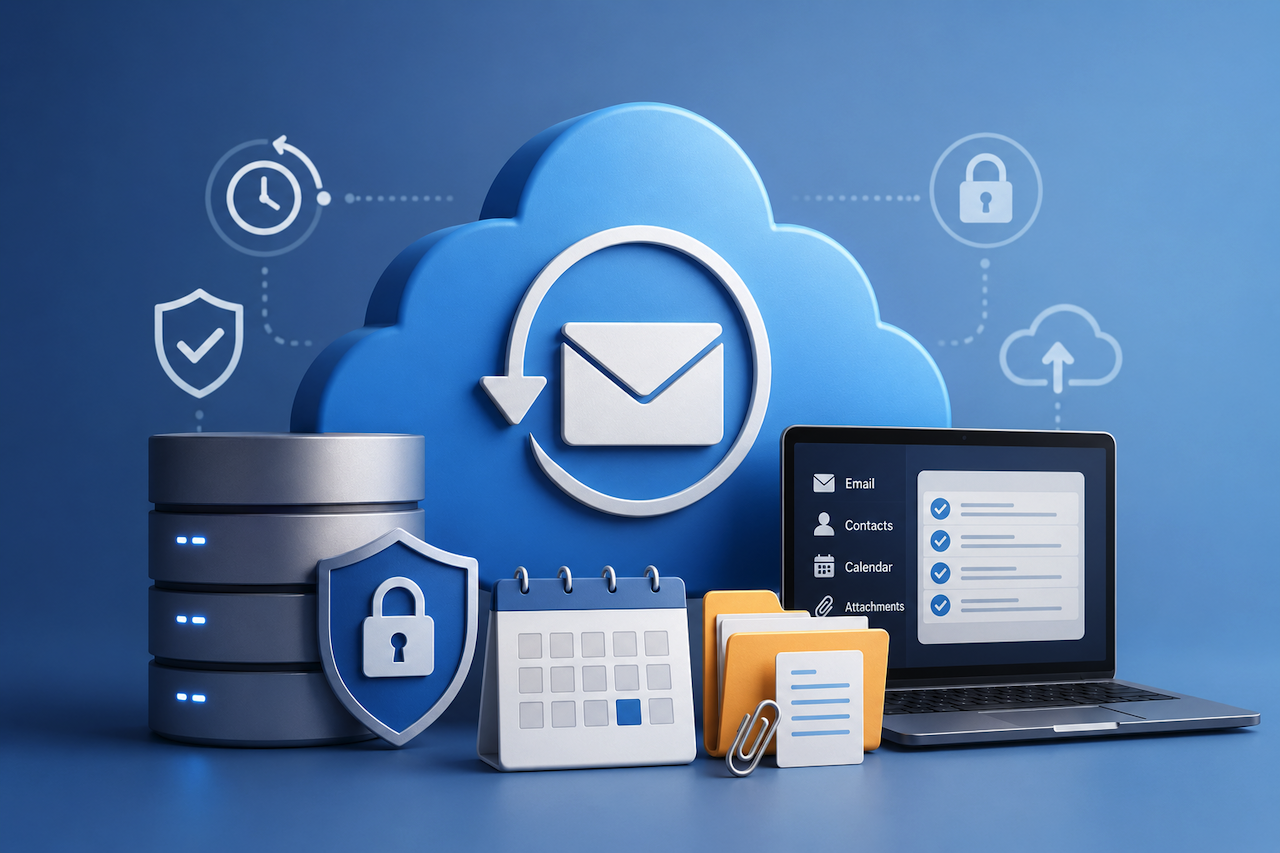
Email is one of the most critical workloads organizations run in Microsoft 365. Business-critical conversations, attachments, contacts, calendars, and decades’ worth of accumulated data can reside in Exchange Online mailboxes.
While native recovery options exist within Microsoft 365, many companies opt for a dedicated backup solution to extend retention, gain greater recovery flexibility, and protect against accidental deletions, ransomware, and other forms of data loss.
In this roundup, we compare the top Outlook backup solutions to help you identify which tools can best protect and recover Exchange Online mailbox data, including emails, contacts, calendars, and attachments.
Comparison Table of the Best Outlook Backup Solutions
| Service | Best Fit | BYOC | Target Uudience | G2 rating | Number of Reviews |
|---|---|---|---|---|---|
| MSP360 | Flexible storage options and pricing control | ✅ | SMB, MSP | 4.5 | 547 |
| Veeam | Recovery flexibility and storage control | ✅ | SMB, Enterprise | 4.5 | 209 |
| Acronis | Backup and cybersecurity in one platform | ❌ | SMB, MSP | 4.7 | 1,369 |
| Druva | Fully managed cloud-native SaaS | ❌ | Mid-market, Enterprise | 4.7 | 736 |
| AvePoint | Compliance and M365 governance | ❌ | Enterprise | 4.5 | 120 |
| Keepit | Simplicity and immutable vendor-managed storage | ❌ | SMB, Mid-market | 4.7 | 142 |
| Afi.ai | Fast search, automation, archived user retention | ❌ | SMB, Mid-market | 4.7 | 59 |
| Backupify | Kaseya/Datto ecosystem users | ❌ | SMB | 4.2 | 190 |
| Spanning | Simple cloud-to-cloud backup | ❌ | SMB | 4.2 | 225 |
| Barracuda | Integrated with Barracuda security | ❌ | SMB, Mid-market | 4.4 | 103 |
| NinjaOne (Dropsuit) | Backup integrated with endpoint and IT management | ❌ | MSP, SMB | 4.6 | 80 |
| Rubrik | Enterprise cyber resilience | ❌ | Enterprise | 4.5 | 170 |
| N-able Cove | MSP multi-tenant management | ❌ | MSP | 4.5 | 432 |
1. Veeam

Veeam is one of the most popular backup solutions on the market and is trusted by organizations worldwide for M365 data protection. With Veeam Backup for Microsoft 365, customers can back up Outlook components while maintaining granular control over where backup data is stored.
Key Strengths
- Ability to selectively recover emails, folders, contacts, calendar items, and entire mailboxes.
- Allows exports to PST, MSG, and EML for use in migrations, compliance reporting, or legal discovery.
- Offers a flexible storage architecture, including support for customer-managed storage.
Potential Drawbacks
- More administration is required than with fully managed SaaS backup platforms.
- Customers are wholly responsible for planning and managing their own backup storage.
Best For
Enterprise-level companies that place a heavy emphasis on recovery flexibility and advanced restore capabilities over the simplicity of a fully managed SaaS platform. Businesses that want complete control over where backup data is stored.
Veeam is designed for organizations that require advanced data backup and recovery capabilities with full control over backup storage.
2. MSP360 Backup

MSP360 offers Microsoft 365 backup as a cloud-to-cloud backup solution built for MSPs and other organizations that want control over where their Microsoft 365 backup data is stored. MSP360 protects Exchange Online mailboxes and enables the backup of Outlook emails, contacts, calendars, attachments, shared mailboxes, and archive mailboxes through a centralized management console, with support for PST exports and customer-managed storage.
Key Strengths
- SaaS backup with BYOC model. Supports Azure, AWS S3, Wasabi, Backblaze B2, and other S3-compatible storage providers.
- Immutable backups (Object Lock) for ransomware protection of your email data.
- Flexible licensing with no long-term contracts helps organizations avoid vendor lock-in.
Potential Drawbacks
- Cloud-to-cloud backup solution only, without a local version.
- Initial solution setup and configuration may take time.
Best For
Organizations that value storage flexibility and ownership of Microsoft 365 backup data and want predictable backup pricing without hidden fees.
MSP360 is well suited for businesses and managed service providers that require flexible storage options, control over backup data location, and transparent pricing.
3. Acronis

Acronis offers Microsoft 365 backup as part of a larger cybersecurity platform. This has made Acronis a favorite among organizations seeking data protection and security capabilities from a single vendor.
Key Strengths
- Comprehensive backup, anti-malware, and cyber protection all in one place.
- Supports immutable backups for ransomware protection.
- Backup and recovery are managed through a cloud-based console.
Potential Drawbacks
- More complex than dedicated backup solutions.
- Organizations that don’t need cybersecurity are paying for features they will not use.
Best For
Organizations that want Microsoft 365 backup and cybersecurity capabilities on a single platform.
Acronis is designed for businesses that prefer backup and cybersecurity capabilities to be managed through a unified platform from a single vendor.
4. Druva

Druva is a backup solution built around protecting data in the cloud without the need to manage any backup infrastructure or storage. MSPs and enterprises love Druva because it enables them to offer backup-as-a-service to customers without investing in backup infrastructure. Druva is a fully managed SaaS platform that protects Exchange Online mailboxes, allowing you to recover Outlook emails, contacts, calendars, and attachments.
Key Strengths
- Fully managed backup solution with no backup infrastructure to manage.
- Unlimited cloud storage is included with many licenses.
- Robust compliance, legal hold, and governance features.
Potential Drawbacks
- Storage flexibility is limited (Mandatory Druva Cloud).
- It may be cost-prohibitive for some SMBs when compared to smaller, SMB-focused options.
Best For
Organizations that need a Microsoft 365 backup solution that doesn’t require heavy administration or management resources. Businesses that prefer a cloud-native SaaS experience above all else.
Druva is well suited for organizations that prefer a fully managed backup platform and do not want to manage backup infrastructure or storage.
5. AvePoint Cloud Backup

AvePoint Cloud Backup is focused on data protection and is designed for organizations that need backup and governance. AvePoint protects Exchange Online mailboxes along with the rest of the Microsoft 365 suite. The platform is managed through AvePoint’s centralized management console.
Key Strengths
- Supports all M365 workloads.
- Supports PST exports for use in migrations, compliance requirements, and more.
- Strong compliance, governance, and administrative features.
Potential Drawbacks
- Limited advanced governance features.
- The platform has a bit of a learning curve when compared to solutions focused solely on backup.
Best For
Businesses that need Microsoft 365 backup but also care about governance, compliance, and administrative controls. Companies that want a backup solution that integrates tightly with the rest of Microsoft 365.
AvePoint is well suited for organizations where governance, compliance, and data protection requirements are key considerations alongside backup and recovery capabilities.
6. Keepit

Keepit is a fully managed SaaS backup solution that prioritizes simplicity and ease of use. Like many backup solutions in this review, Keepit protects Exchange Online mailboxes and enables recovery of Outlook emails, contacts, calendars, and attachments. What makes Keepit unique is its immutable backup architecture that ensures your backed-up data can’t be altered or deleted by ransomware attackers.
Key Strengths
- Fully managed SaaS solution with no need to manage backup infrastructure or storage.
- Backup storage is included with licensing.
- Simple to deploy and administer with very little overhead.
Potential Drawbacks
- No option to bring your own storage.
- Less control over your backup infrastructure when compared to self-managed solutions.
Best For
Businesses that want a simple Microsoft 365 backup solution. Companies that don’t want to manage backup servers or storage.
Keepit is well suited for organizations that prioritize simplicity, immutable backups, and a fully managed backup experience.
7. Afi.ai

Afi offers Microsoft 365 data protection, known for its automation, speedy recovery, and powerful search capabilities. afi. AI protects Exchange Online mailboxes from their centralized management console.
Key Strengths
- Fast search and recovery across all backed-up mailbox data.
- Automated backup handling requires little administration.
- Retains backups of archived users without requiring a purchased Microsoft 365 license.
Potential Drawbacks
- Lacks the storage flexibility of bring-your-own-storage partners.
- Low Ecosystem Breadth
Best For
Businesses that care about automation, fast recovery workflows, and easily managing Microsoft 365 backups.
Afi.ai is well suited for organizations that prioritize fast search capabilities, automation, and long-term retention of archived user data.
8. Backupify

Backupify is another well-known Microsoft 365 backup solution. While they aren’t quite as recognizable as a few others on this list, Backupify has been providing SaaS backups for over 10 years. Backupify can protect Exchange Online mailboxes and recover Outlook mail, contacts, calendars, and attachments.
Backupify’s interface and management console are cloud-based, which allows for an easy backup process.
Key Strengths
- A decade-old Microsoft 365 backup solution with millions of customers.
- Item-level recovery of mail, contacts, calendar events, and full mailboxes.
- Integrates very well with the larger Kaseya/Datto ecosystem.
Potential Drawbacks
- While you get what you pay for, the pricing is on the high side.
- If you don’t operate in the Kaseya ecosystem, you won’t get many features that stand out from those of other vendors.
Best For
Businesses/MSPs who operate in the Kaseya ecosystem. Any organization that wants a tried-and-true solution that has been around for over a decade.
Backupify is well suited for organizations already operating within the Kaseya ecosystem and seeking a Microsoft 365 backup solution from the same vendor.
9. Spanning Backup

Spanning Backup is a cloud-first solution that focuses on backing up Exchange Online mailboxes. One of Spanning’s largest selling points is its ease of setup and use. With almost no configuration necessary, organizations can have their data protected in minutes.
Key Strengths
- Incredibly easy to set up and manage.
- Granular recovery of mail, contacts, calendar events, and full mailboxes.
- Ability to manage both Microsoft 365 and Google Workspace backups from one platform.
Potential Drawbacks
- Doesn’t offer some of the high-end recovery options and governance features that other “all-in-one” enterprise-focused solutions offer.
- No flexible storage options.
Best For
Any organization that needs an easy-to-use Microsoft 365 backup solution. Any business that would like to have the ability to back up Microsoft 365 and Google Workspace data from one console.
Spanning is well suited for organizations seeking a Microsoft 365 and Google Workspace backup solution that requires minimal administration and ongoing management.
10. Barracuda Backup

Barracuda Cloud-to-Cloud Backup is part of Barracuda’s larger security-focused product lineup. It is part of a larger security solution. IT teams can back up Microsoft 365 data while using the same portal to manage other security solutions.
Key Strengths
- Integrates well with other Barracuda security solutions.
- Allows granular recovery of mailbox data, including emails and folders.
- Deployment is cloud-based and requires very little administration.
Potential Drawbacks
- Offers the most value if your organization is already using Barracuda security products.
- Storage options and flexibility are not as customizable as BYOS vendors.
Best For
Organizations that already use Barracuda security products. Companies that would like Microsoft 365 backup integrated into the same security ecosystem as their other data.
Barracuda is well suited for organizations seeking Outlook backup capabilities as part of a broader email security, data protection, and cyber resilience platform.
11. Rubrik

Rubrik is an enterprise-focused cyber resilience platform that offers Microsoft 365 backup as part of its broader backup offering. Rubrik focuses heavily on security and ransomware recovery, which makes it ideal for larger organizations that need that extra layer of protection.
Rubrik protects Exchange Online mailboxes and enables recovery of Outlook email and other components.
Key Strengths
- Focus on cyber resilience and recovering from ransomware.
- Enterprise-grade security and compliance features.
- Unified protection across Microsoft 365, Cloud, Virtual, and local environments.
Potential Drawbacks
- Overkill for organizations that are just looking for Outlook backup.
- Typically geared towards larger enterprises instead of SMBs.
Best For
Large organizations that need Microsoft 365 backup as part of a larger cyber resilience strategy. Businesses that care about security and recovering from ransomware as much as they care about backup.
Rubrik is well suited for organizations that prioritize cybersecurity, cyber resilience, and rapid recovery capabilities alongside Microsoft 365 backup and data protection.
12. NinjaOne – by Dropsuit

SaaS Protection by Dropsuite extends NinjaOne’s leading IT management platform to include protection for Microsoft 365 data. What makes Backup by Dropsuit unique is the integration with NinjaOne’s IT management console.
Key Strengths
- Integrated with NinjaOne’s broader IT management platform.
- Manage endpoints, IT operations, and Microsoft 365 backups all from one place.
- Cloud-based deployment requires very little infrastructure.
Potential Drawbacks
- If all you care about is Outlook backup, you may not need the broader features of the NinjaOne platform.
- Lacks some of the more enterprise-focused governance and compliance features found in other backup solutions.
Best For
IT teams and MSPs that use NinjaOne and would like Microsoft 365 backup managed from the same platform. Companies that want their backups managed alongside day-2 IT operations and endpoint management.
NinjaOne is well suited for organizations that want Outlook backup capabilities integrated with endpoint management and day-to-day IT operations workflows.
13. N-able Cove

N-able Cove Data Protection is a cloud-first backup solution that was built for MSPs. In addition to offering endpoint and server backup, N-able Cove also includes Microsoft 365 backup capabilities. N-able Cove protects Exchange Online mailboxes and allows for recovery of Outlook emails, contacts, calendars, and attachments.
Key Strengths
- Built specifically for multi-tenant management across customers.
- Allows MSPs to monitor and administer backups centrally.
- Has a cloud-first architecture and doesn’t require infrastructure.
Potential Drawbacks
- Some of the advanced Microsoft 365 recovery and governance features found in other dedicated SaaS backup vendors aren’t as robust.
- Optimized for MSPs rather than IT teams at enterprise organizations.
Best For
MSPs that want to manage Microsoft 365 backups across all of their customers from a single console. Service providers need a backup solution that can span multiple customer environments.
N-able is well suited for managed service providers that require centralized backup management across multiple customer tenants and Microsoft 365 environments.
Features We Evaluated
Just a few of the questions we asked when researching solutions:
- Did the solution back up mailbox items such as emails, contacts, calendars, attachments, shared mailboxes, and archive mailboxes? (Exchange Online protection)
- Could I restore individual emails, folders, contacts, calendar items, and entire mailboxes? (Recovery Capabilities)
- Was it possible to export backed-up data to PST, EML, MSG, and other formats for use in migrations, compliance reporting, or attorney-held discovery requests? (Export Options)
- Was backup storage vendor-managed, or did they offer customer-managed storage? Did they support Bring Your Own Cloud (BYOC)? (Storage Model)
- Can I retain data for as long as I want and create custom retention policies? (Retention Flexibility)
- Did the solution offer ransomware protection and immutable storage? What access controls did they have? MFA support? Audit logging capabilities? (Security)
- How easy was it to search for specific emails and mailbox items within backed-up data? (Search and Discovery)
- How difficult was it to deploy? What about day-to-day administration? Is there a management console or dashboard? (Ease of Administration)
- Will the solution scale to fit the needs of businesses of all sizes? (Scale)
About Our Ratings and Reviews
This roundup includes information from vendor-submitted documentation, product pages, whitepapers, technical resources, and reviews from independent industry analysts. Our team examined communities on Reddit, G2, Capterra, Gartner Peer Insights, TrustRadius, and other review websites to understand better what users love and the challenges they face regarding usability, recoverability, storage capacity limits, pricing, and support.
Vendor solutions were selected based on market share, customer adoption, feature-set breadth, and overall suitability for Exchange Online and Outlook backup use cases. Features, pricing, and licensing models may change over time. Product information presented reflects publicly available information at the time of writing.
Conclusion
As you can imagine, with so many solutions available, IT admins can feel overwhelmed trying to sort through the options. Some solutions focus on providing a simplified backup solution. In contrast, others allow for finer control. Governance- and compliance-focused organizations often opt for solutions that allow them to retain longer and offer advanced security controls. MSPs typically look for solutions that allow them to manage multiple customer environments from a single console.
Featured Image generated by ChatGPT.
Related Articles
September 28, 2024
Intact Methods to Move Emails & Attachments from Zimbra to Outlook
Both people and companies might usually discover a regular requirement for switching between email providers in the fast-paced digital era. Many users find moving emails and files...
Read More
September 27, 2024
Backup of Hotmail or Outlook.com Email Account with Instant Solution
Important business emails lost might be disastrous. Along with other options, this page investigates the top Outlook.com corporate email backup software for Windows to guarantee al...
Read More
September 25, 2024
Reliable Solution For Switching From Outlook PST Database To Microsoft 365 Account
In the current era of clouds, many companies are replacing conventional desktop email systems like Outlook with cloud-based solutions like Office 365 in the era of clouds presently...
Read More
Comments
Comments are available to signed-in users and are moderated to keep the discussion useful and respectful. Spam, automated submissions, and low-value promotional comments are removed. Outbound links may be approved when they are relevant and genuinely helpful to readers, but they are displayed as plain text rather than clickable hyperlinks.
No comments have been published yet.
Please sign in to submit a comment.